Like many, I try to stay updated on tech news via Hacker News (HN) posts. I have been using HN actively for slightly more than 5 years now. During weekdays, I usually open or refresh a HN tab in my Chrome browser at least twice in a day. I then open up the links having a high number of comments or sometimes, the ones whose titles intrigue me. Roughly, this would lead to opening about 5-6 web links per HN visit. For 3-4 of those, I’d return to their respective HN posts to read the comments. I usually browse up to the 2nd, and sometimes 3rd page of HN per visit. For comments, I usually glance at the top-level comments (mostly the top 3-4) and their first-level children.
I live in Berlin, Germany. This means that I would usually catch the most busy HN activity of any given day on the next day. Browsing HN often served as a break from work. Consequently, during most weekends or vacations, I would not visit HN. On some Sunday evenings, while winding down, I’d try to catch up on the last couple of days of HN listings.
I followed these habits for about 5 years, some of it peaking during the pandemic years.
As you might have guessed, this HN browsing and consumption pattern had its issues that literally and figuratively piled up over time:
Piling up of open tabs - a common browsing problem in the modern day, and my HN browsing exacerbated it. I’d often not find the time to read the linked web article properly, leaving the tab open for days.
Lost HN post - often, after reading the web article, I’d find it difficult or laborious (using Google or Algolia search) to go back to its respective HN listing. This would be magnified when I’d read the web article days after I originally opened it.
Missed listings
When I’d not visit HN for a few days, it would become almost impossible to scan through all missed HN listings because of the high volume of HN listings per day.
“Last checked marker” issue - how do you efficiently keep track of till where you had last checked HN. Practically, I would mentally cache the last seen post title. But that’s hardly practical actually. And even with that, HN posts can get bumped due to high engagement, thus disturbing their original creation order.
The above difficulties would often make me miss out on one of the main value-adds of HN - the user comments. With so much to catch up to and with so many difficulties, I would often not find the time and energy to check the HN user comments which usually have so many valuable insights.
Increased laptop screen time - I always use my laptop to read HN and its linked articles. The above issues meant I would need to spend more time in front of my laptop screen which is already quite high due to my other development and administrative activities.
HN became “work” - FOMO and FOGO (FO-Getting Outdated) made browsing HN feel like work. Like something I need to “catch up to”. Deadlines. Stress!
Paywall slap - unrelated to my HN browsing patterns, another common issue HN users face is hitting the paywall for a linked article. The HN community is awesome enough to almost always provide an archive link in the comments. But one has to find it in the comments. That is, if one gets to that page.
After many years of these struggles and brooding, I finally got down to what any self-respecting developer would do in such a situation, especially in year 2025 - develop your own tools and use AI while at that. My main solution approaches behind these two tools were to a) make HN browsing as much push based instead of pull and b) make use of non-browser interfaces which go well with push (yup, messengers).
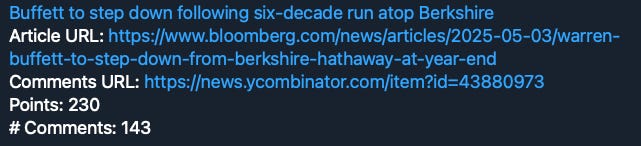
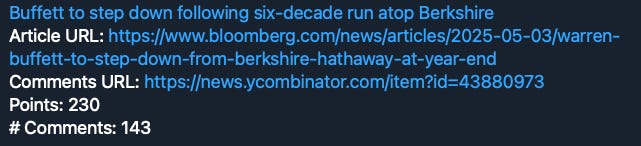
A simple Telegram bot which receives HN posts notifications periodically (2 hours currently). Given my HN click patterns described above, I made this bot receive notifications for HN posts having at least 50 points or if their titles have any of the keywords of my interest like AI, Go etc.
The push notifications have the following format:
<HN post title>
<Web Article URL>
<HN post URL>
<HN Points>
<# HN comments>
E.g. (screenshot from my desktop Telegram client)
This solved the following issues for me:
Push notifications. No more need for visiting HN daily.
Lesser time on desktop browser. The push notifications concisely have all the information for me to decide whether I’d read the article or not. So I can now quickly scroll through on my mobile or desktop Telegram client and scroll through a much shorter and more relevant list.
I can choose to open the tabs right away or simply bookmark messages by liking them or sending them to Saved messages. No more open tabs piling.
No more missed posts - Telegram automatically takes me to the last unread message, just like any other messenger does.
While this is a push based approach, it still makes my HN browsing more intentful without the pressure of a daily habit. I know my unread, relevant HN posts are their in my bot’s messages. I can check them when I really mean to read some tech articles.
I have also added an AI specific daily digest message. This digest message compiles all HN posts which relate to AI for a particular day, irrespective of the number of points or comments of that post.
While Tobie solved the HN browsing and catch-up issues, I still needed to solve the other nagging issues of paywalled links, difficulty of finding the HN posts and getting a sense of the HN user comments. Enter HaNe, a custom Chrome extension which has the following features:
Opened a paywalled link? Clicking HaNe toolbar button opens up the archived link in a new tab.
Right click on any web article and choose HaNe -> Hacker News post to open the corresponding HN post in a new tab.
Right click on any web article and choose HaNe -> Summarise Hacker News comments to get a popup right there with all the HN comments (paginated).
One could also get an AI summary of the comments by providing their OpenAI API key (stored only in client) and clicking the AI Summary button.
So with HaNe, all my other HN browsing issues got solved. HaNe’s Technical Overview
I have been using Tobie+HaNe now for almost 3 months and it really has been a game changer for staying updated with tech happenings via HN. It has also significantly reduced my screen and browsing time.
Customisable Tobie configurations - ability for users to specify their own keywords of interest or even regular expressions, configure periodicity, points/comments thresholds, and message templates.
Better AI based comment summaries - improve the summary prompt for more accurate comment summarisations.
<If you have any suggestion, please leave a comment below>
I did not want to spend any money on these tools, so the entire implementation, deployment, and execution were optimized for free tier limits without negatively impacting my experience or purpose.
Essentially a cloud scheduler which gets triggered every 2 hours and executes the cloud function code to fetch relevant HN links posted since the last execution time. The HN links are fetched using the RSS feeds links https://hnrss.org/newest?points=<N> and https://hnrss.org/newest?q=<keywords>. The obtained links are then wrapped into a template Telegram message HTML payload and then sent to Telegram via the https://api.telegram.org/bot{bot_token}/sendMessage API call. Telegram then forwards these messages to my local clients.
This is just a regular Chrome extension (source code). The only particularly notable aspect is that the code persists the user-provided OpenAI API key in Chrome’s local storage. The extension can be installed here.