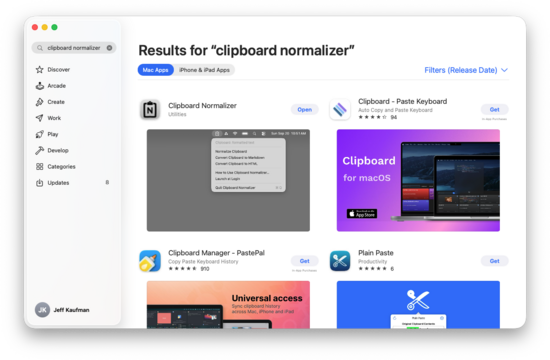

It's now a single menu bar app, which offers a few options:

In addition to normalizing your clipboard, it can also convert copied rich text to markdown and back again.
Video demo:
youtubeIt's amazing how much software development has changed in the last few months. In December, when I made the first version, it was simple enough that I think I still wrote it by hand (with some asking questions to Claude) and then Claude walked me through using Platypus to package the script as a Mac app. This time I just said I wanted it in the Mac App Store and Claude rewrote it to be compatible. This included:
- Replacing Pandoc (GPL and so incompatible the the App Store TOS) with SwiftSoup.
- Writing Swift code to wrap SwiftSoup.
- Merging the separate "Normalize Clipboard" and "Markdownify Clipboard" apps into a single menu bar app.
- Making it show a little toast describing what it had just done, including an FYI if you tried an impossible conversion.
- Adding tests, including ones for XSS and others for very strange formatting.
- Fixing a few edge cases the old one mishandled.
- Walking me through the App Store review process.
I needed to provide a little guidance, in telling it where I wanted to draw the line on which formatting to keep, and I did notice a few small conversion bugs.
It failed the review process the first time, mostly because I was lazy and skipped Claude's recommendation to make a demo video. The second time it got through fine.
"; } } return h; } function gotComments(serviceName, response) { all_comments[serviceName] = add_space_for_children(response); redrawComments(); if (window.location.hash && window.location.hash.length > 0) { var s = window.location.hash; window.location.hash = ""; window.location.hash = s; var highlighted_comment = document.getElementById(s.replace('#', '')); if (highlighted_comment) { highlighted_comment.className += " highlighted"; } } } function deep_copy(x) { return JSON.parse(JSON.stringify(x)); } function recursively_add_service(c, service) { c.push(service); var children = c[5]; for (var i = 0 ; i "; h += display_posts(all_comments_sorted()); window.acs = all_comments_sorted(); window.dictionary = dictionary; window.quoting = quoting; h += "