I really like personal blogs. I read them for entertainment, learning, and to keep myself updated on the latest trends in software engineering. I prefer to read them in a horizontal position, like on a couch or a deckchair outside in the sun. That explains why I almost never read them on my computer and always on my phone. I don’t necessarily enjoy that, though, since it makes my eyes tired.
This never bothered me enough to actively do something about it. But when I came across a pocket-sized e-reader called the X4 by Xteink, I got an idea. At only 4.3 inches, the X4 fits nicely in the palm of your hand. It also has no touchscreen and no backlight, and doesn’t ship with a preinstalled bookstore. While most people probably think of this as inconvenient or old-fashioned, a small community has gathered around this device. They even created an open source firmware for it called Crosspoint.1
At this point I already fell in love with the whole idea and ordered myself one. It took some time to ship it from China to Germany, and I worried the package might get stuck in customs. Luckily it didn’t. Once I got it, I wanted to try the stock firmware first, but it left so little impression that I can barely remember what it looked like. Within a few seconds I disliked it and wanted to install Crosspoint. To my greatest surprise, I had it installed after just three clicks. I then bought a DRM-free e-book, copied it to the X4, and started reading. I expected a lot more fiddling, but it just worked. Big shout out to all the contributors, you really nailed this.
But the real reason I wanted the X4 was to read my blog posts on it instead of my phone. I would just need to create an e-pub from them and load them onto the X4. My own little newspaper. With the help of AI, I could build it in a couple of minutes.
I use Feedbin as my RSS reader, which comes with a handy API. I just had to fetch all my unread posts, mark them as read, and create an e-pub from them. I also needed to filter out some feeds, since I subscribe to YouTube channels, JS-heavy blogs, and link-only newsletters that don’t make sense to read on e-ink. I won’t annoy you with the details, but if you want to take a look, you can find the project on GitHub. I called it feedpaper and you can install it via Homebrew.2
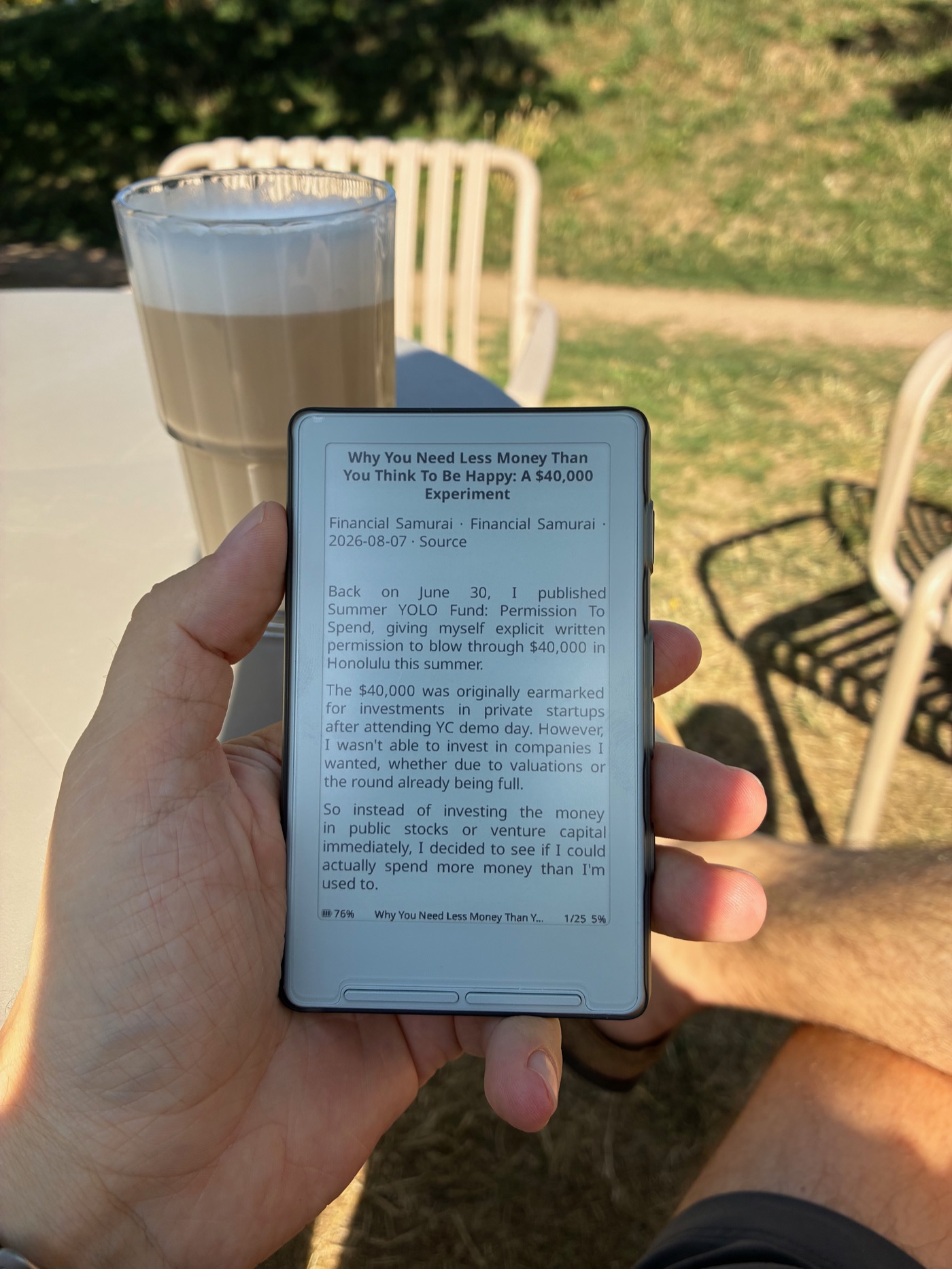
With a freshly printed feedpaper on my X4 (and my phone at home), I drove to one of my favorite outdoor cafés and enjoyed a good read with a latte. If you make your own feedpaper someday, I’d love to see a picture of it.
