GaussianSplatting.jl 2.0 release brings notable quality of life improvements and new capabilities.
Same code, multiple GPU backends
Written entirely in Julia it supports following GPU backends:
- AMD GPU (AMDGPU.jl)
- NVIDIA GPU (CUDA.jl)
- MacBook GPU(Metal.jl)
This is achieved with KernelAbstractions.jl that allows writing a single kernel that get's compiled to a specific target.
Multithreaded UI
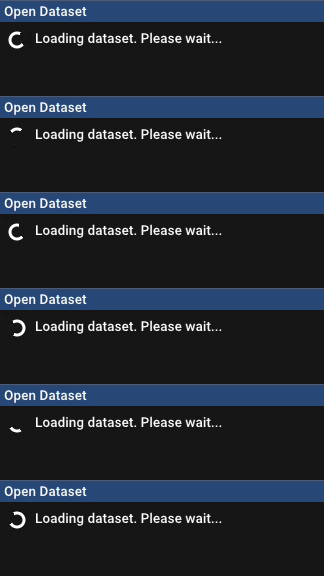
To avoid freezing the app during heavy work (such as JIT compilation of GPU kernels, dataset loading, etc.) the app is now split into two threads:
- Frontend: handles the UI, performs OpenGL rendering, dispatches commands to the backend.
- Backend: performs Gaussian Splatting rendering, training, dataset loading, etc.
In this way, the UI always stays responsive and user can interact with it, even if there are long-standing jobs in the background. It also shows progress bars that something is happening with tips, instead of becoming frozen like before.


UI/UX itself got a big update and is now displays loss plots live during training along with all hyperparameters.
Markov Chain Monte Carlo Strategy
Besides default cloning and splitting densification strategy, we now support MCMC (3D Gaussian Splatting as Markov Chain Monte Carlo) densification strategy.
It allows precise control of the number of Gaussians in the scene and generally relies less on having a good initialization.
Users can select MCMC during dataset loading or in the code with:
Trainer(
    rasterizer, gaussians, dataset, opt_params;
    strategy=MCMCStrategy(; kwargs...),
)
Depth & Geometry Supervision
To improve reconstructed geometry, we can provide depth priors using off-the-shelf depth estimation models.
Depth images should be part of the dataset, under <dataset-root>/depths/<FILENAME>.png path.
To enable depth supervision, either toggle it in UI or with OptimizationParams(; use_depth_loss=true).
Depth maps then provide supervision during training resulting in better geometry and reduced number of floaters.
Since depth may vary between frames, all depth maps are first refitted against prior point cloud to the same scale. The ones that fail refitting are discarded and not used for supervision.
To further improve geometry and smoothness, we can perform geometry regularization to constrain the shape of the surface,
while depth supervision constrains only its location.
It can be enabled in the UI or with OptimizationParams(; use_normal_loss=true) and performs two things:
- depth normal consistency pins surface orientation: normals derived from the rendered depth map must align with the per-Gaussian normals.
- flattening surface: flattening each Gaussian along its smalles axis.
Sky Dome
To help disentangle sky / distant background and reduce floaters, GaussianSplatting.jl now supports Sky Dome, which is a frozen shell of Gaussians at a large radius, rendered in its own pass and composited behind the scene.
Depending on your environment (e.g. like this fountain above), you may want to prefer hemisphere instead of a sphere, because a full sphere will pull parts of the geometry onto itself, making the ground less opaque. By using hemisphere, the bottom half background is black and does not affect geometry at all.
The overhead of Sky Dome is negligible (~32K Gaussians) comparing to the rest of the scene (millions of Gaussians).
To further help disentangle the sky, we can use sky segmentation masks obtained from any off-the-shelf sky-segmentation models,
which should be part of the dataset under <dataset-root>/sky/<FILENAME>.png path.
This helps with small details around the edges of geometry, like leaves.
Camera Frustum
Camera frustum visualization got a small quality-of-life update and now shows a miniature picture of the image that the actual camera took.
Some Other Niceties
List of other improvements in no particular order:
- Automatic checkpointing saves checkpoints every N steps in the selected directory.
-
Custom hyperparameter configuration (learning rate, loss weights, regularization, etc.)
can be provided during dataset loading with
hyperparameters.tomlfile (useLoad...,Save...buttons). It can also be saved later on if you are satisfied with these values, helping reproducibility. - Camera path for Capture Mode can now be saved / loaded and reproduced exactly accross training runs.
- UI shows how much VRAM is being used by the application.
---
This concludes GaussianSplatting.jl 2.0 update.
Feel free to try and leave the feedback on the GitHub repo.
Thanks! :)
Acknowledgements