Hi, this is Andrea.
After playing a little bit with the torus program that hasn't fallen into the oblivion for now,
I decided to render it using the
Kitty Graphics Protocol
that also my terminal supports. If you don't pay
too much attention like me at first, you could think of sending raw
pixel data encoded in plain ASCII. Well, no too easy hehe. You must
send base64 encoded images (RGB, RGBA, PNG). For those who don't know, the encoding (included
me before reading about it) works in the following way:
- takes 3 bytes as input
- splits it into words of 6 bits each
- given `i`, an 6 bits unsigned, return the char `map[i]` where `map` is an encoding specific map, do this for each of the four 6 bits unsigned
- if the input isn't multiple of 3 bytes then it's padded with `=` (special char) as needed
If you want to know more about it and you want to do it the old way,
just read about it on the RFC.
It's deceptively simple to implement for RGB data
and you can flex that you know that RFC stands for Request For Comment. Once
you have your base64 encoded image, you can send it, in chunks of maximum
4096 bytes, using the kitty graphics protocol. All the graphics follow the format
<ESC>_G<control data>;<payload><ESC>\, which, translated
in printf() means: printf("\033_G<control data>;<payload>\033\\");,
where <control data> is a comma separated key value string that
ends with ;. Some basic information for this map are:
- display on terminal: `a=T` ~must specify, otherwise will not display anything :)~
- type of data: `f=24/32/100` for RGB, RGBA and PNG respectively (must specify)
- width: `s=%n` (must specify)
- height: `v=%n` (must specify)
- compression: `o=z` (optional)
- terminal columns and rows: `c=%d,r=%d` (optional)
- more (if there will be chunks following): `m=%1`
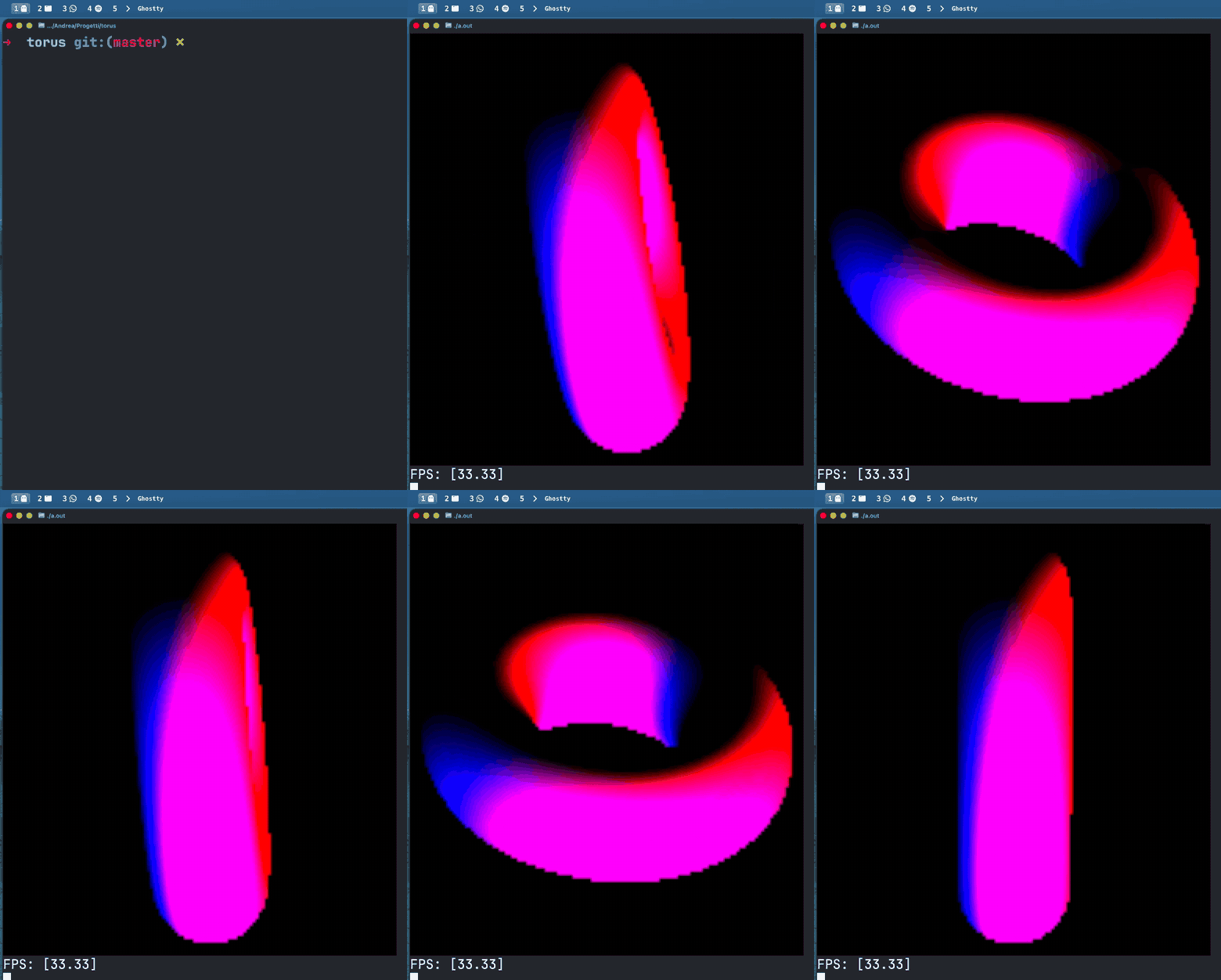
Now, with a real image rendering I could finally see what was
happening in fact, some very strange things were happening, like cut in half torus, not consistent light,
and it was much easier to visually debug and also add cool stuff like colors
and a second light (of a different color). It would be interesting to write
Metal code to speed all this thing up on Apple Silicon, might be interesting to learn
or just to suffer; or also make it a rendering engine that can actually load OBJ meshes
or again, forget about this project forever. This is the result for now,
cool right :) ? The code can be found the following repo

the fps counter makes it even more profesionaleven though it's useless, because it sleeps not to go over 33.33 (0.o)fun fact: did you know that magenta (blue + red) isn't a real color? it doesn't really exist on the visible spectrum, our brain just makes it up :)