
It features seamless collaboration, maximum compatibility with Microsoft Office files, and, thanks to its distinct architectural approach, delivers excellent browser performance while reducing server load. Features like Undo/Redo and Track Changes mode work independently in collaboration, making it flawless for multi-user editing sessions.
Euro-Office lets you edit Nextcloud documents not only in the browser, but also on the go, directly within the Nextcloud app available on iOS and Android.
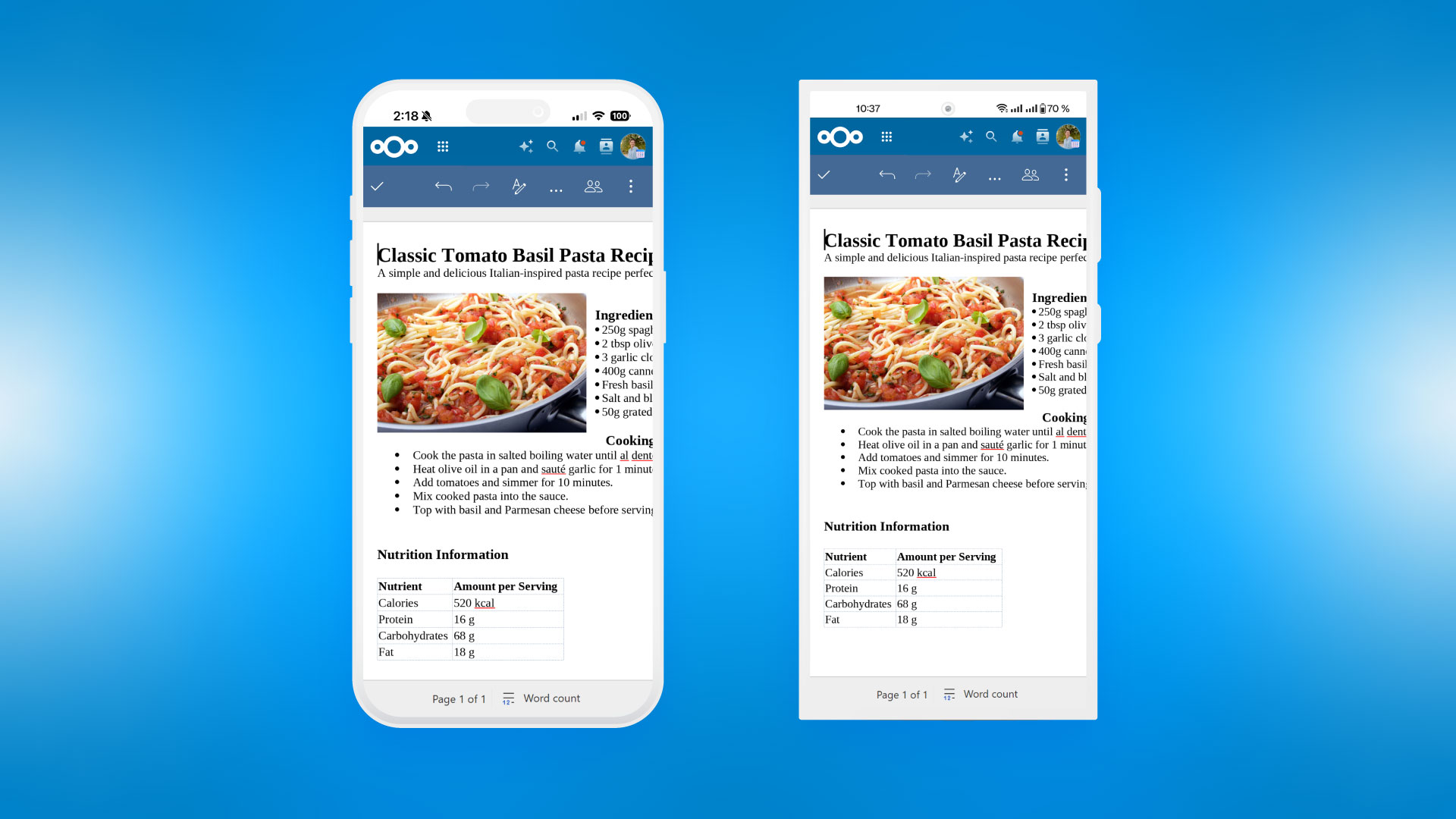
For example, we already integrated the Smart Picker so you can insert links to content all across Nextcloud like Deck cards, calendars, chat rooms, files, locations and more. We also integrated the Nextcloud Assistant and Euro Office works with the Nextcloud file conversion API. That allows it to convert documents into other types, like a spreadsheet in a CSV or a markdown file into a PDF.
True open source, shared governance 🌱
Euro-Office is a coordinated European initiative bringing together open source organizations, independent developers and civil society actors under a shared governance framework. Read more about the project and the next steps for Euro-Office in our latest announcement.
Spotty connection? Nextcloud Text has your back 📶
We are constantly improving our markdown editor to make it more robust when your connection is unstable. Now it simply works even if you go fully offline, for up to 5 minutes.
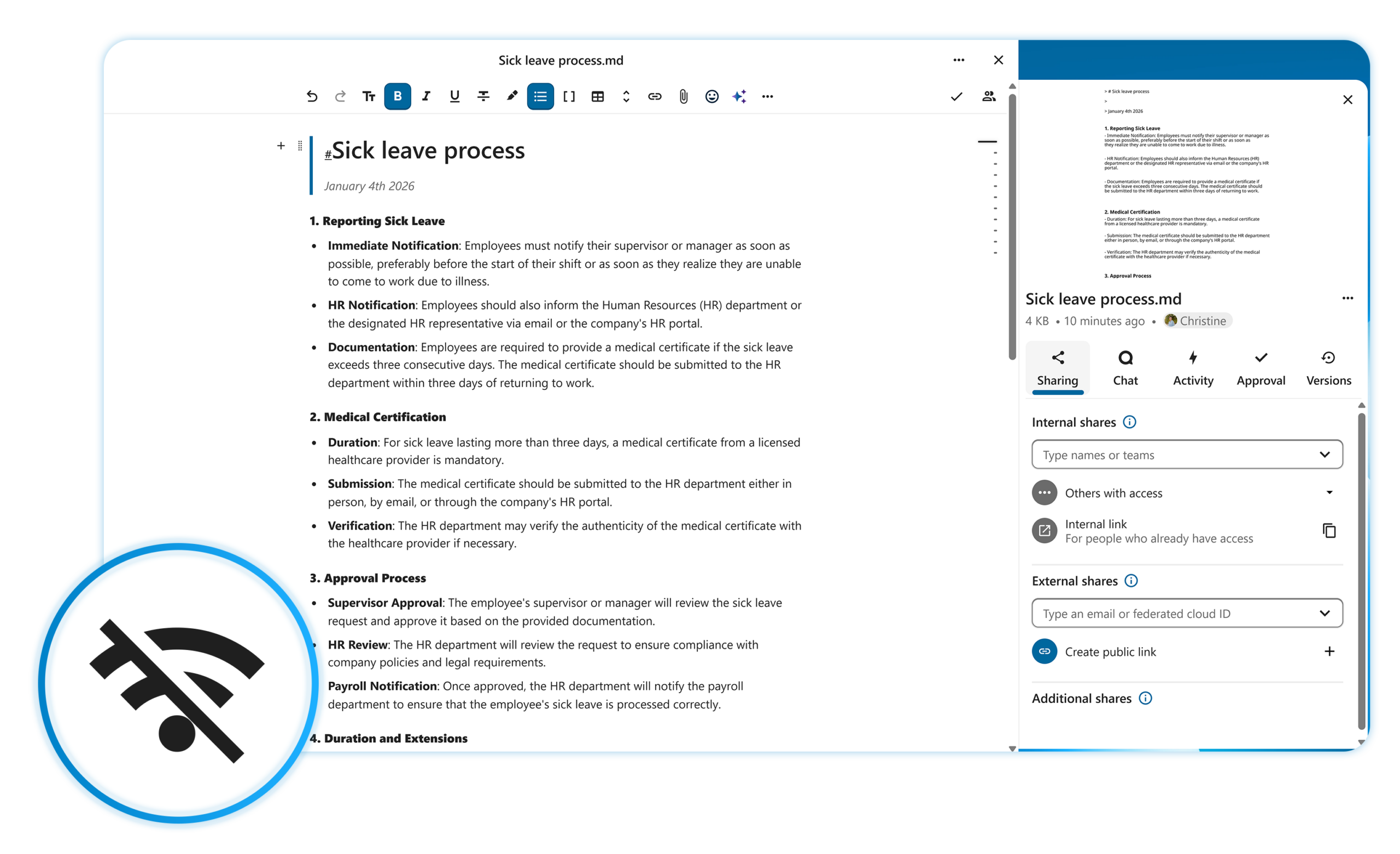
In Nextcloud Collectives, our knowledge sharing app based on Nextcloud Text, you can now browse pages from your cache even while offline, if you have opened them before.
Easier data organization and sharing in Nextcloud Tables ♟️
Organizing data in your tables now takes less effort. You can now reorder, sort and pin table columns in a few clicks. Easily reorder views in your Tables-based applications. And additionally, you can delete and duplicate rows.
Get more done together: share tables via public links with an ability to edit table contents.
And finally, you can turn on notifications to get alerted about new actions with table or view data.
Improved search and Smart Picker in Nextcloud Collectives
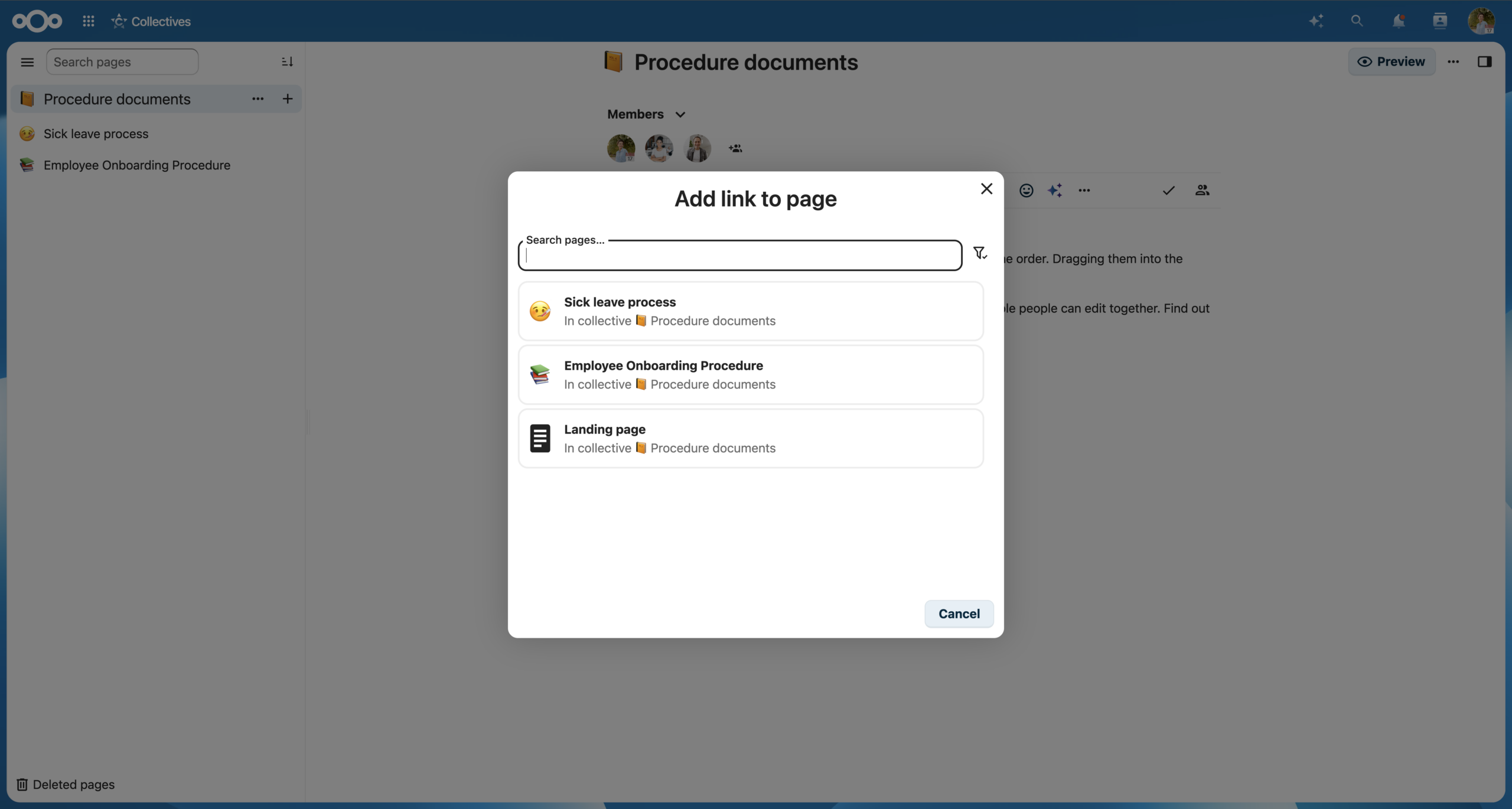
Finding and sharing pages is now easier. We made search results better and more relevant by using a new database search in Nextcloud Collectives. When using Smart Picker to share a page, you will see page suggestions based on recently changed pages.
Call from anywhere and organize conversations 💬
When a task calls for quick question, start a call instantly from anywhere. Just click on the avatar of the person you need to reach, start the call, and chat while keeping on with your work.
Are you a chat person? We also made organizing all your conversations a lot easier. First, you can sort conversations alphabetically or by recent activity to find relevant chats easier.
Now your project chats, team conversations and off-topic rooms are nicely grouped. Assign tags to your conversations and group them by these tags.
More in Nextcloud Talk: private replies to group messages, Voice Rooms, desktop client improvements
By popular demand, we added a few more features in Nextcloud Talk. For example, you can reply to a group chat message privately to keep the conversation focused, and the reply will include the quote of the original message.
We also added Voice Rooms with ongoing calls, allowing you to join a call instantly, and improved noise suppression with a more advanced option.
In our desktop client, we added support for connecting multiple accounts, so you can add your work, personal or other Nextcloud Hub instances. We also enabled automatic updating of the client.
Nextcloud Groupware: delegate more, collaborate better 🤾
In a big team, the more dependencies, the more you need to delegate. Managing a shared inbox, covering for a colleague on leave, or handling customer communication on someone’s behalf, delegation in Nextcloud Hub 26 Spring keep things moving:
- Nextcloud Mail: you can read and reply to emails on behalf of another person.
- Nextcloud Calendar: you can create events on behalf of another person and accept event invitations.
Now you can also forward calendar invites to others and they can accept them, adding an event to their own calendar. Event organizers can disable invite forwarding to protect sensitive meetings.
Better interoperability in Nextcloud Mail 📮
We enabled full read-write support for external CalCAV and CardDAV, adding an ability to connect external calendars and address books to yours respectively. For example, you can browse events from Zimbra, OpenXchange, or a private calendar server, and all the events you create in Nextcloud will appear there.
Nextcloud Deck: Gantt charts, card dependencies, and more 📊
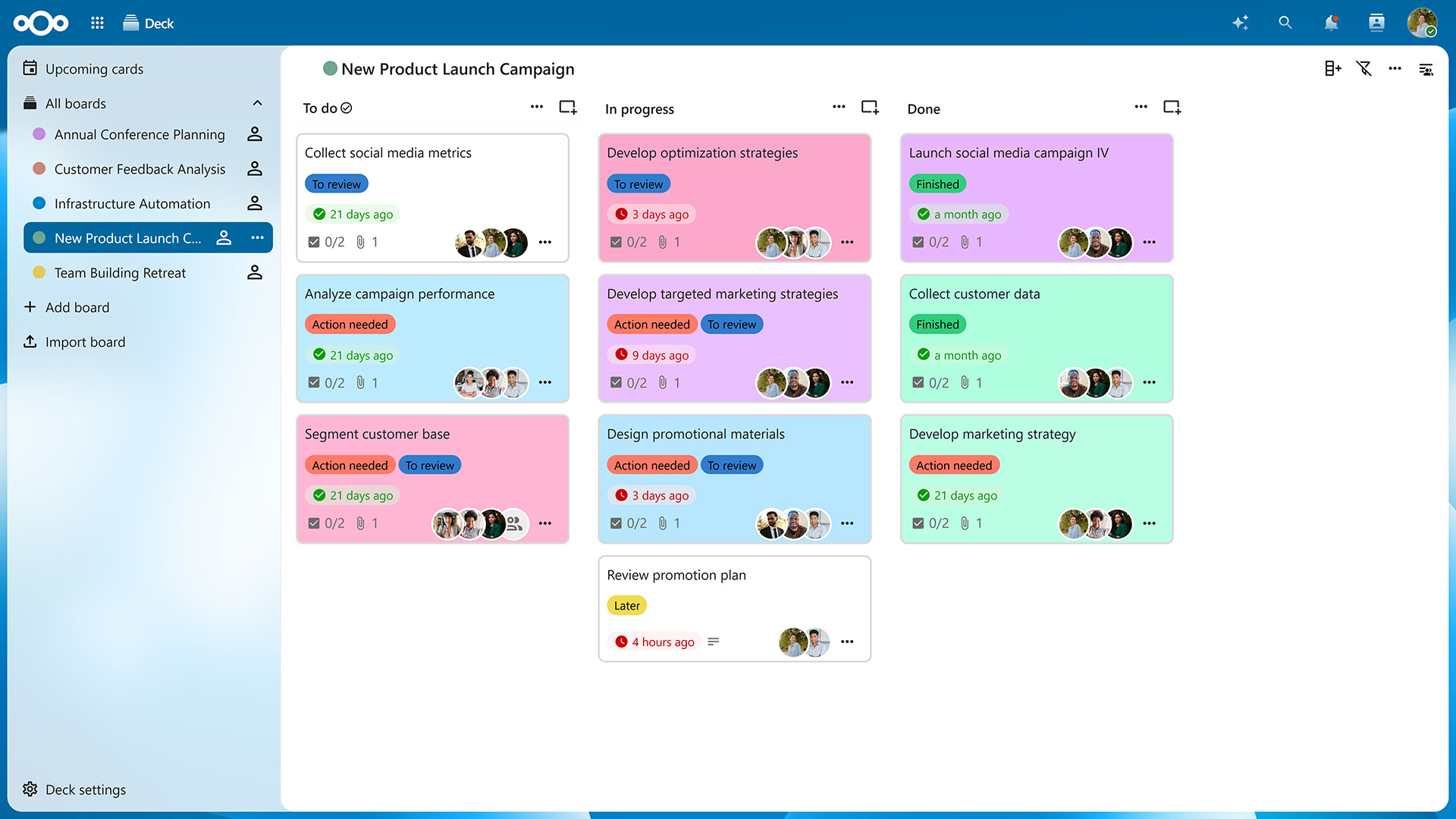
More for your project management in Nextcloud Deck. We introduce card dependencies and start dates in addition to end dates, so you can get a better overview of your tasks’ timeline.
You can build Gantt charts based on your Nextcloud Deck boards, mapping all the task dependencies and timelines onto one view. Drag’n’drop cards, choose between day/week/month views and color-code your timelines.
That’s not all updates for your next project. Assign whole teams and groups to cards and see card authors. Choose a board to open by default when launching Nextcloud Deck. Customize your boards: define column for completed tasks and add custom card backgrounds.
New agent tools and improved performance in Nextcloud Assistant 🧠
Nextcloud Assistant helps you be confident about what happens to your data tomorrow. It gives you what data-hungry cloud chats can’t: control and choice. Know how your AI works, choose where it runs, and pick only the tools you need.
With Nextcloud Hub 26 Spring, we give it more hands and make it even more powerful.
Universal Search and more app data 🔎
Nextcloud Assistant can now use Unified Search in your Nextcloud Hub to find any items based in fewer steps. This works via Context Agent feature.
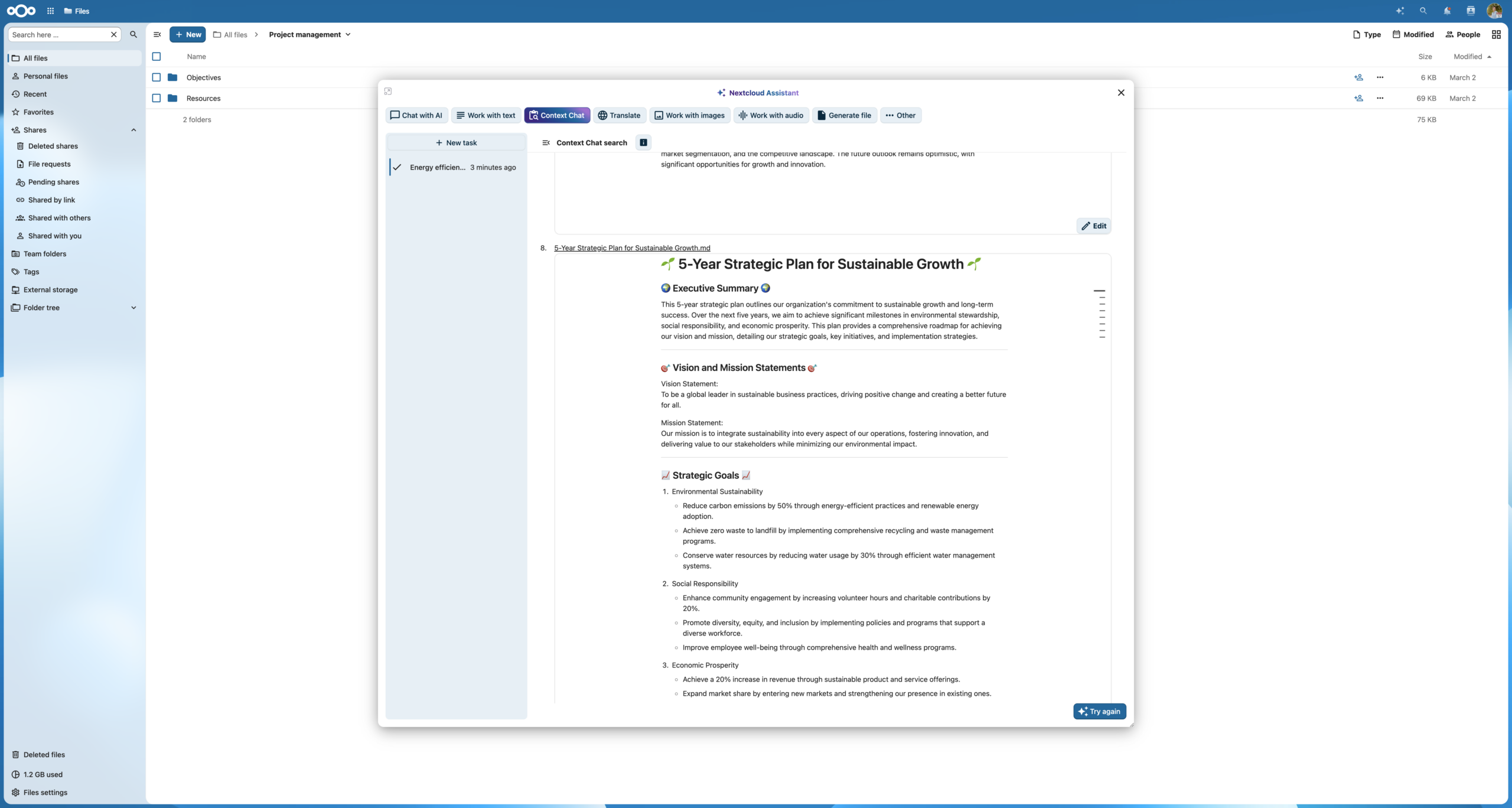
It also knows data in your apps better, helping you find items and perform new actions in file system, emails, tasks, forms, Nextcloud Deck boards and cards, and more.
Chat and context menu action on mobile 🤳
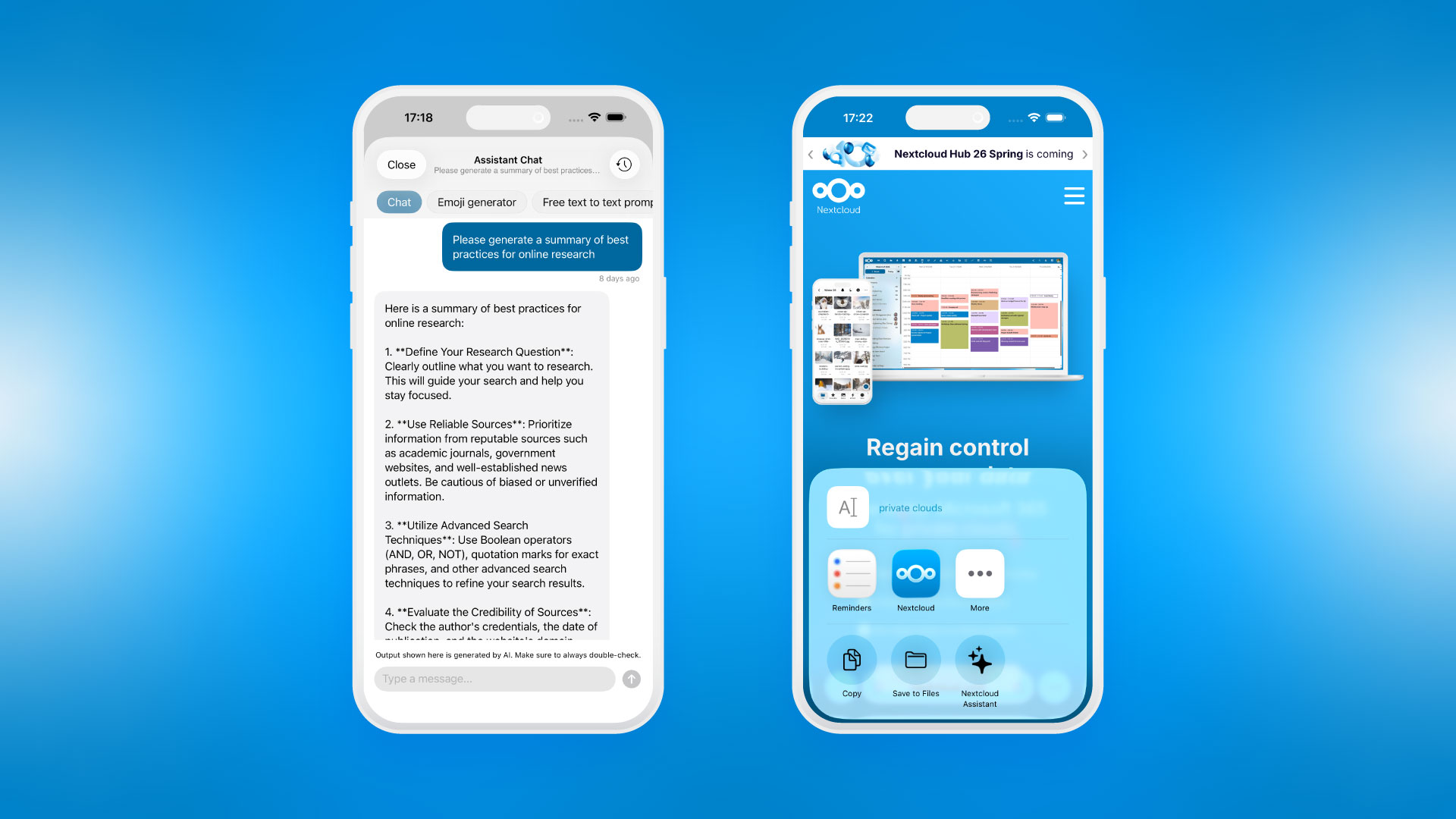
You can now chat with Nextcloud Assistant on mobile. And it’s better integrated with your device: use the context menu on iOS or Android to ask the Assistant to work with any text you come across.
Improved performance and backend interoperability ⚡️
Nextcloud Assistant receives better background job scheduling and configurability, delivering faster replies from context-enabled tasks and many other performance improvements. We also worked on the architecture, enabling support for Kubernetes for Context Chat features and LLM2.
Flexible UI 📍
You can now drag and resize the Nextcloud Assistant UI. This let’s you work in any other apps while using Nextcloud Assistant on the side.
Empowering independent developers 💙
To put this into practice, we are launching a dedicated Developer Relations team led by Anna Larch. Say hi!
Nextcloud is a mature, widely adopted ecosystem, and therefore works perfectly as a development platform. We want to empower developers to build reliable apps and tools, using the collective knowledge of our own developers and the community. This, in turn, will provide organizations the building blocks for digital workspaces that suits their unique needs.
Anna Larch
Developer Relations
Announcing Nextcloud ISV program 🌱
Nextcloud is more than a company or a product. It’s a platform, one we shape together with our community and organizations in our ecosystem. In the next chapter, we want to be good stewards and do more than just offer our app building tools. We are introducing the Nextcloud ISV program to help independent software vendors (ISVs) grow their audience, promote apps and provide support to their customers via the Nextcloud platform.
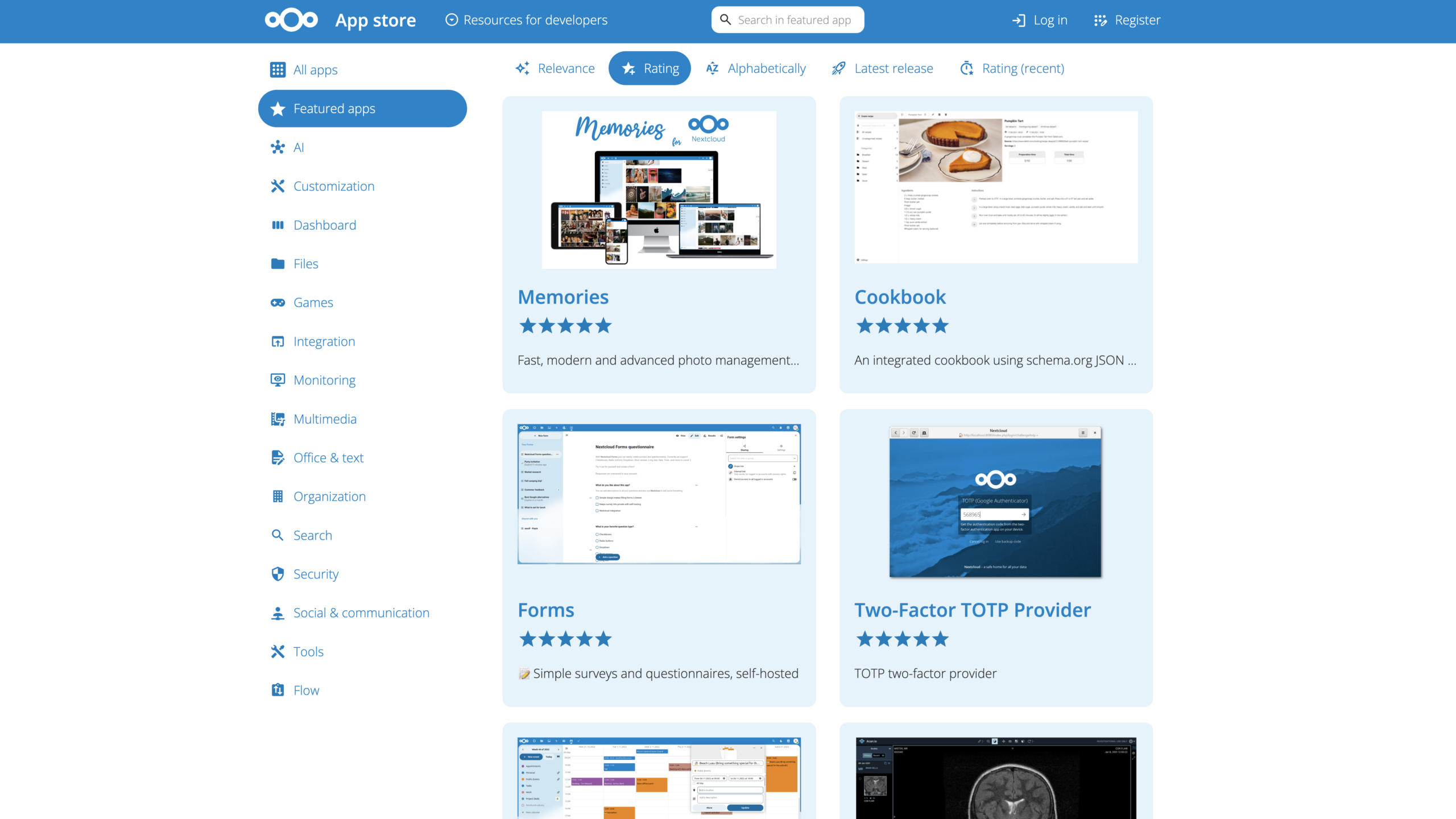
How the Nextcloud ISV program empowers vendors:
- We promote your apps in our App Store, offer subscriptions, and facilitate support and documentation.
- You provide stable, scalable apps with long-term support that answer our standards in privacy, security and run locally.
Read more and become an Independent Software Partner of Nextcloud. Let’s collaborate!
API updates 👩💻
Key API updates in Nextcloud Hub 26 Spring include:
- info.xml requirements
- Unified sharing
- Navigation styling revisions
- Sidebar tabs redesign
- Settings title left-alignment
- Several removed back-end and front-end APIs and libraries
Read more details about critical API changes in our documentation.
New integrations 🧩
We have also worked on accessibility features of Nextcloud App Store, improving the experience with navigating the pages.
Featured new community apps 🎁
Mastermind
Developer: Marc Schwartz
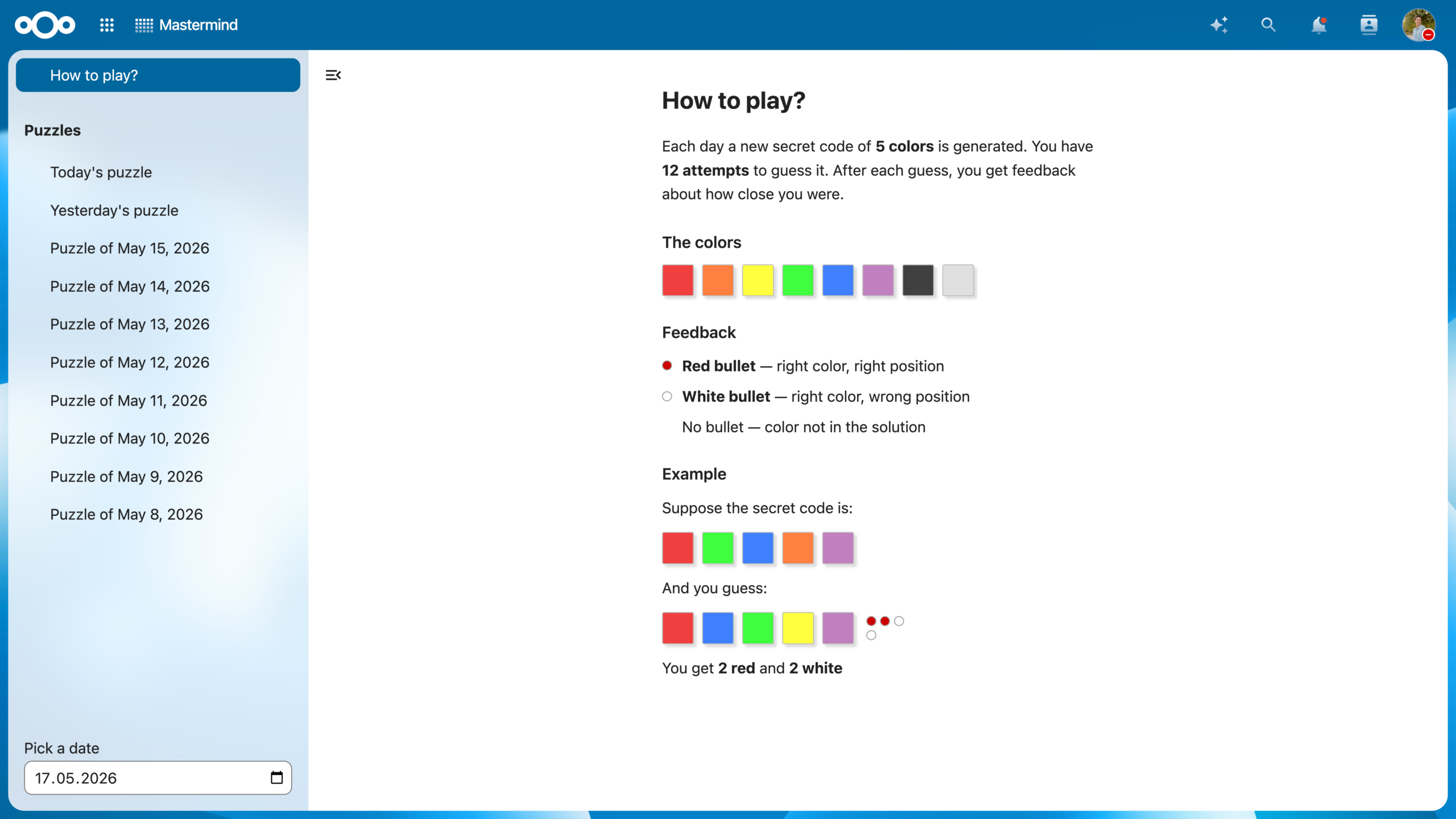
Nextcloud version of the popular game Mastermind. Crack a code consisting of five colors within a fixed number of turns.
Linkboard
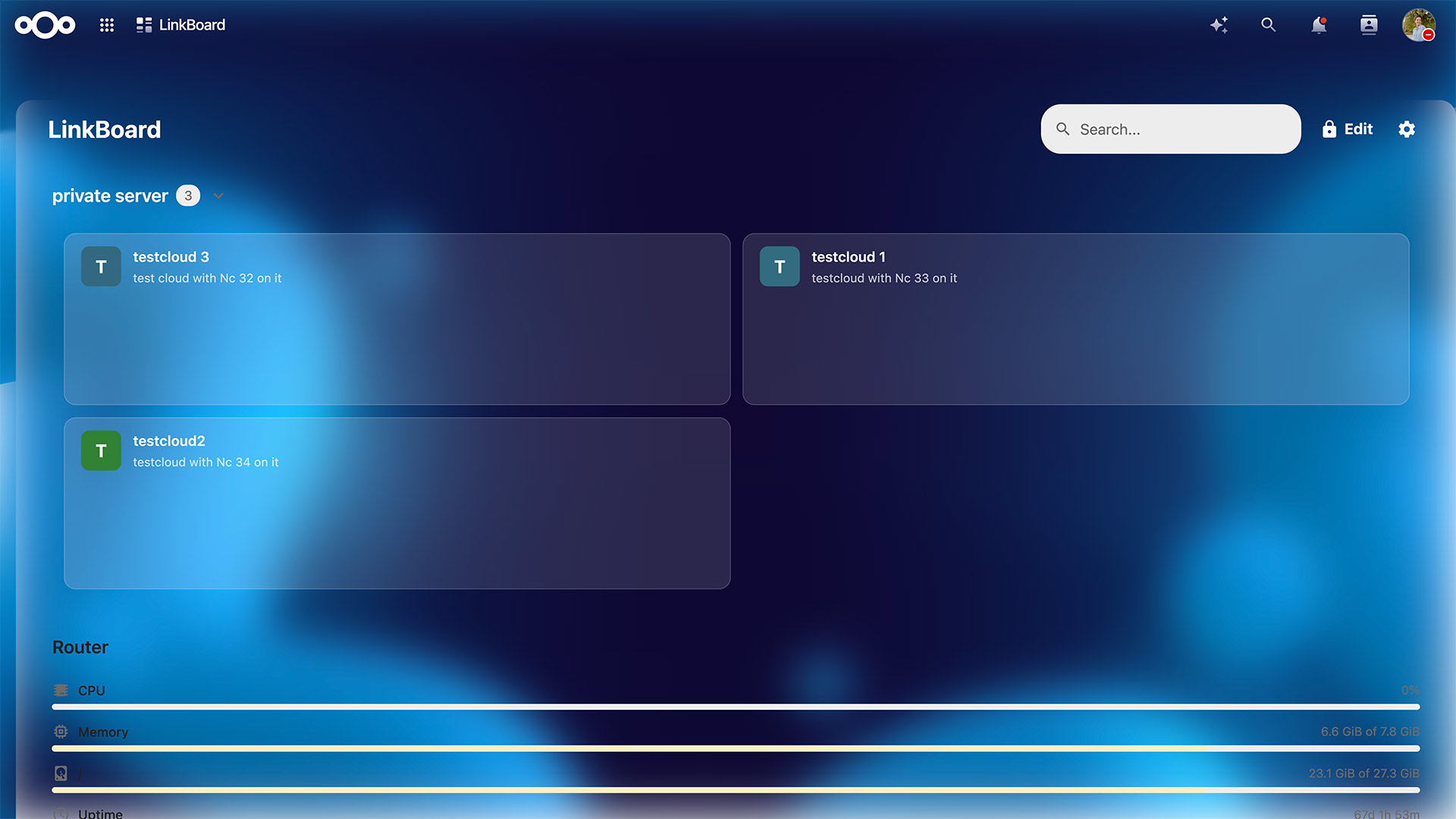
Developer: Andreas Busslinger
Customizable service dashboard to organize your services in categories, monitor status, and access everything from Nextcloud.
Countdown
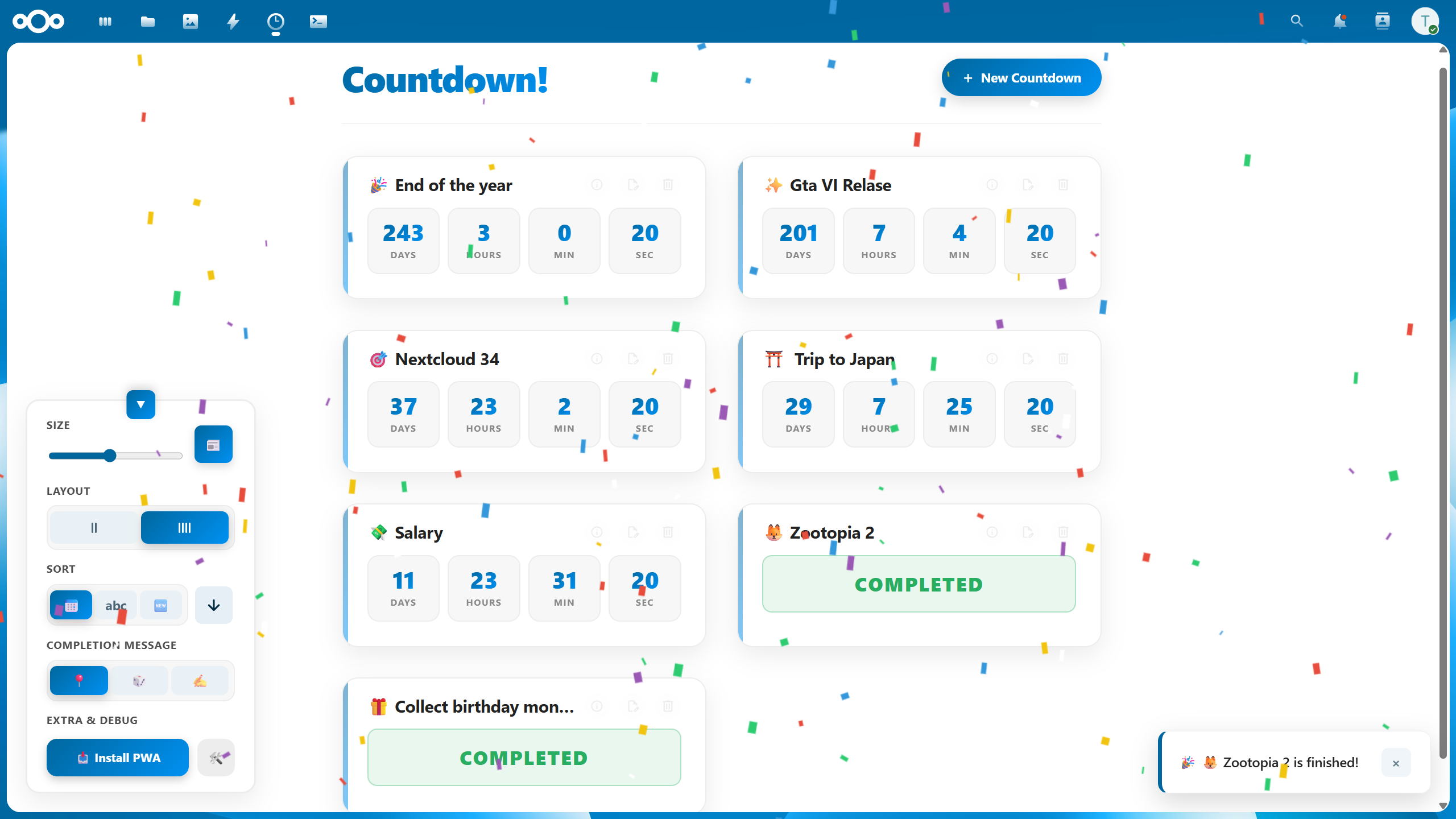
Developer: Felt
Your most anticipated releases, in one place! Manage countdowns for games, movies, series, and personal events.
Week Planner
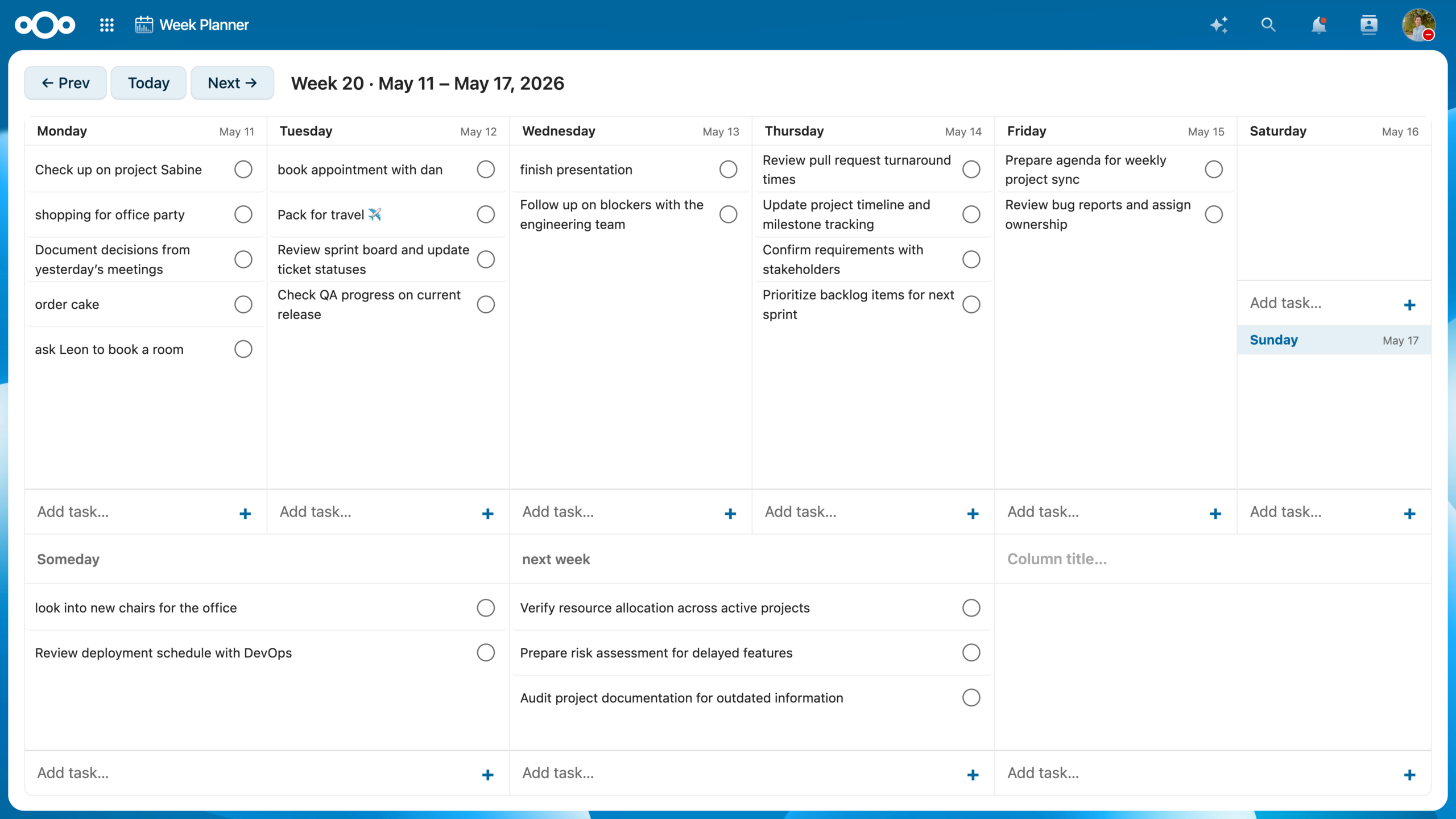
Developer: Sören Johanson
A simple weekly planner inspired by Tweek, living right inside your Nextcloud. Easy planning with full control over your data.
Pantry
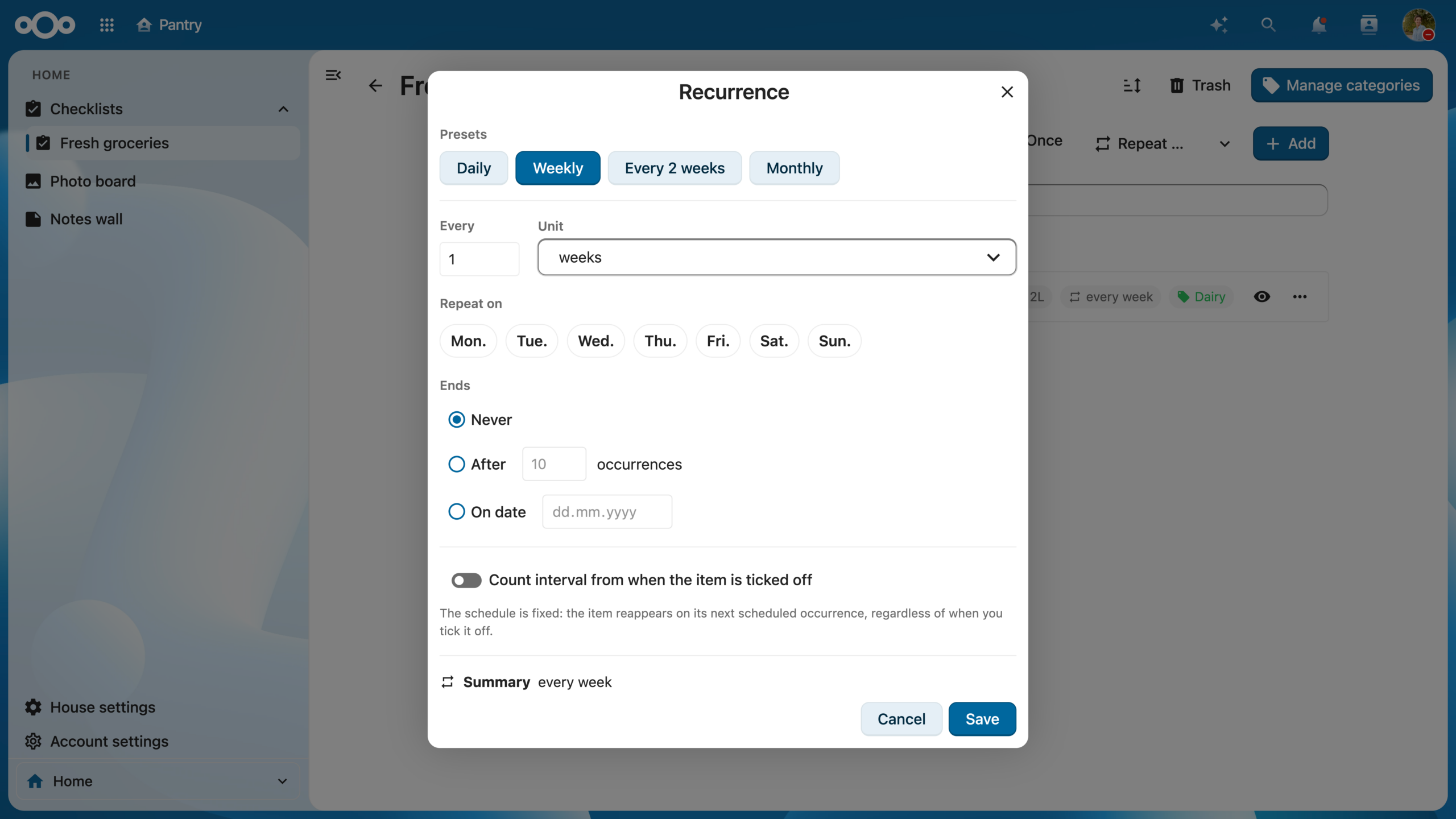
Developer: Chen Asraf
Household management app to keep your house organized collaboratively with checklists, photo boards, notes and more.
The upkeep is on us 🧹
It’s a lot of features, but it’s only 4% of what we’ve done. To live up to the trust millions of people are putting in Nextcloud, in this release we focused on stability and refinement.
We invested in bug fixing, performance work and improving reliability across everyday workflows. 96% of code change done in this release across all repos are maintenance work, including translations, small UI fixes, stability, security and performance.