We're finally ready to talk about Flipper One — a project we've been grinding on for years and have rebuilt from scratch several times. It's an incredibly hard project, both financially and technically. So today we're going public not with a big shiny announcement, but to tell the whole story straight. Honestly? We're genuinely terrified, and we need your help.
With Flipper One, we’ve set ourselves a list of ambitious goals:
- Build the most open and best-documented ARM computer in the world, with full mainline Linux kernel support.
- Push vendors to open up their existing closed-source code and ditch binary blobs entirely.
- Build an unconventional hardware platform based on a co-processor architecture that pairs a microcontroller with a CPU, and port tons of low-level MCU code.
- Rethink how people use Linux and develop our own GUI framework with wrappers around existing CLI utilities.
Many of these goals come with a lot of uncertainty, which is scary. But we believe this is the only way to make a truly meaningful contribution to the open-source community and to education.
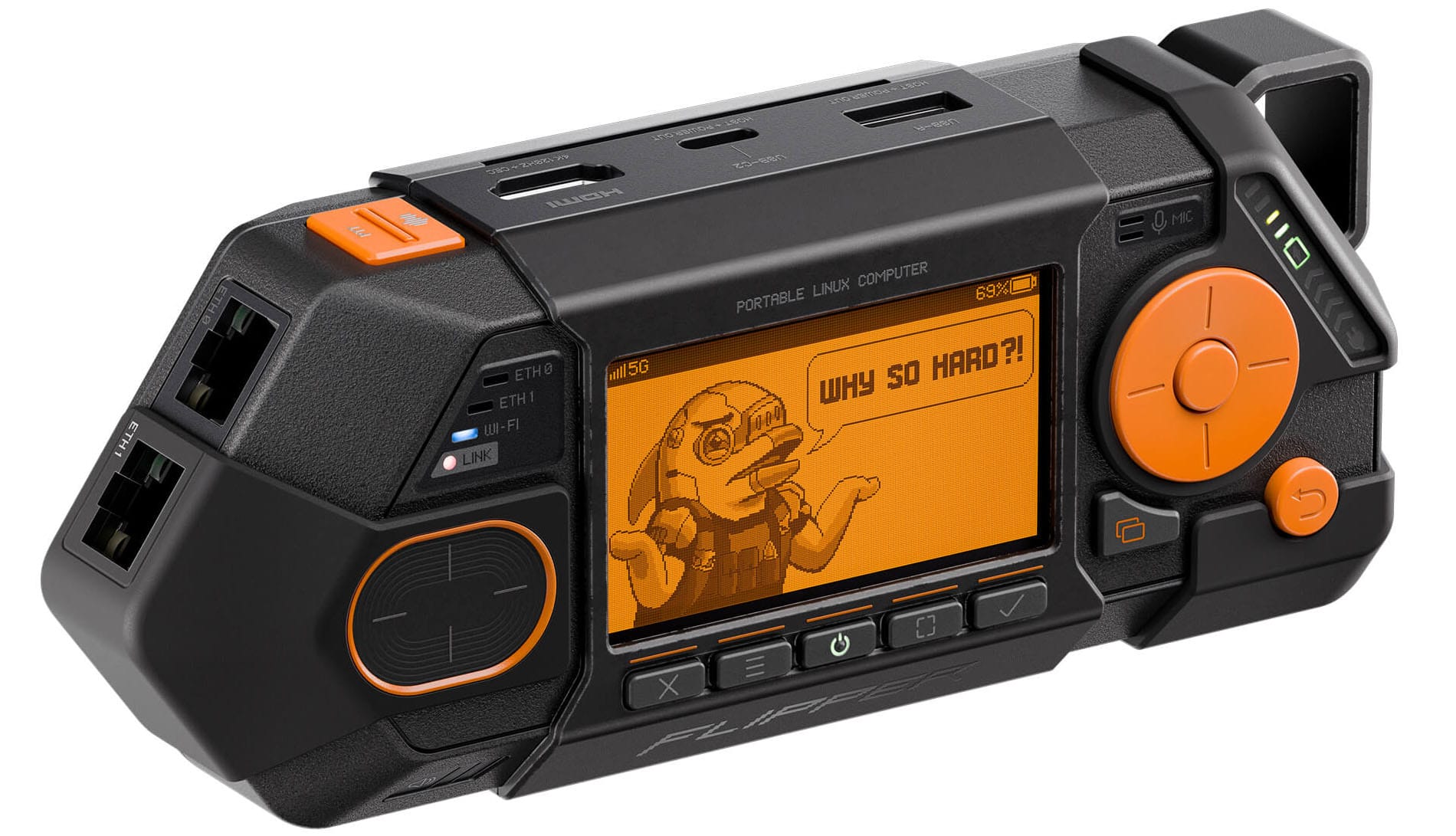
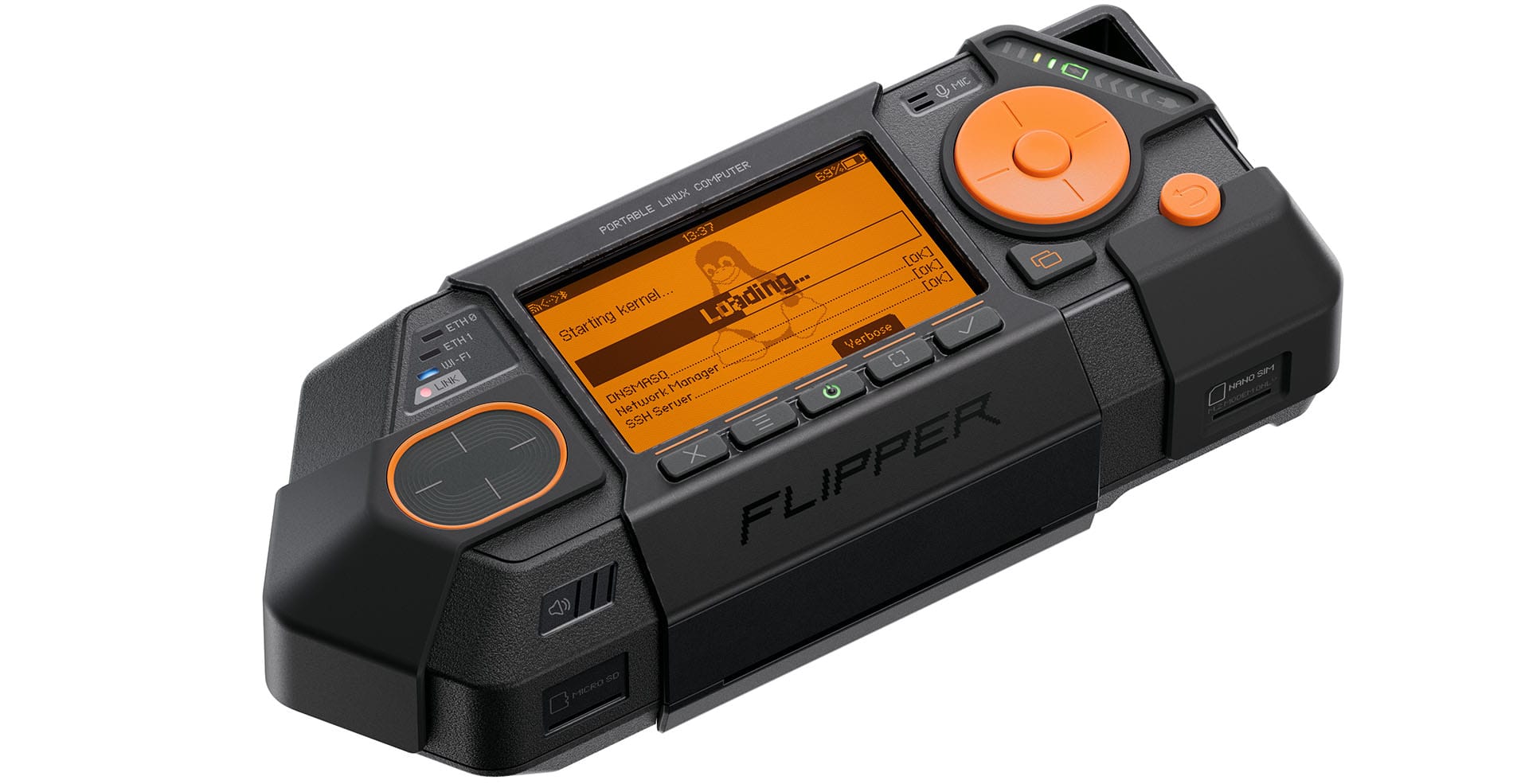
Flipper One isn't an upgrade to Flipper Zero — it's a completely different project with its own goals. Flipper One is an open Linux platform you can build almost anything on: from a 5G-enabled IP network analyzer to an SDR-powered radio signal analyzer with local AI. We focused a lot on the hardware expansion system. You can connect high-speed modules to Flipper One over PCI Express, USB 3.0, and SATA interfaces. Add an SDR, a fast SSD, or a cellular modem — just plug in the right module.
Flipper One comes with several network interfaces: 2x Gigabit Ethernet, USB Ethernet (5 Gbps), and Wi-Fi 6E (2.4/5/6 GHz). You can add 5G connectivity by plugging in an M.2 modem. That means you can use Flipper One as a router, a VPN gateway, or a bridge between wired and wireless networks.
Flipper Zero and Flipper One are completely different projects built for different tasks. The easiest way to think about it is in terms of networking layers:
- Layer 0 — Offline point-to-point access-control protocols: NFC, low-frequency RFID, Sub-1 GHz radio, Infrared, wired protocols like iButton, UART, SPI, I²C. Based on a low-power microcontroller.
- Layer 1 — Everything that's IP-connected: Wi-Fi, Ethernet, 5G, and satellite. It's all about networking, data transfer, and high-performance computing. Running on powerful hardware and an open Linux toolkit — enough computing power to handle SDR and local AI.
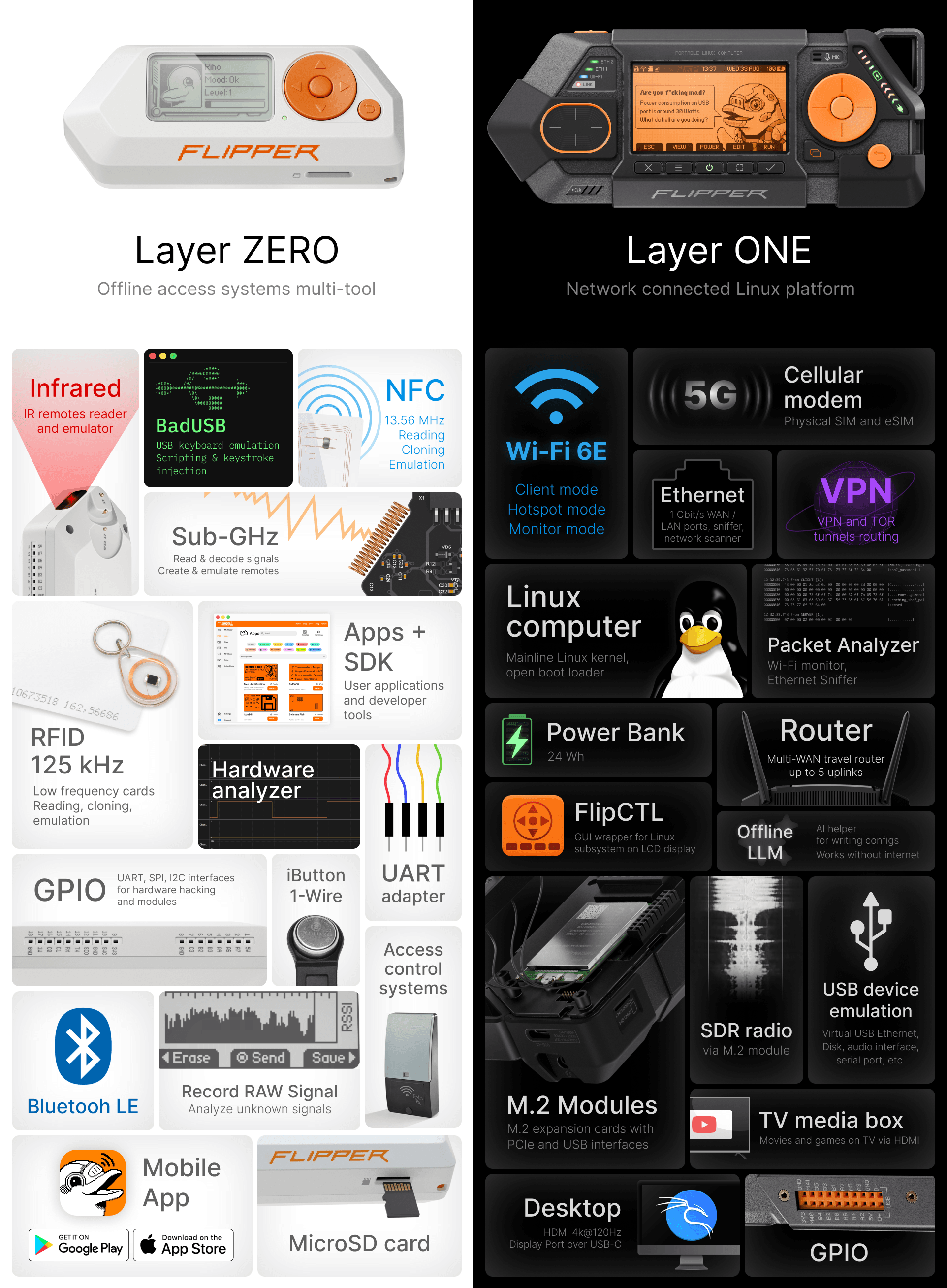
So they're not "newer" and "older" generations of the same product. Flipper One doesn't replace Flipper Zero — they're different categories of devices.
We want to build a truly open Linux hardware platform — the best-documented ARM computer, one that works out of the box on any recent upstream kernel. It will never go stale because it'll keep getting the latest updates. Our goals:
- Full mainline Linux kernel support
- No binary blobs, closed drivers, or proprietary firmware
- No vendor-locked BSP (board support package)
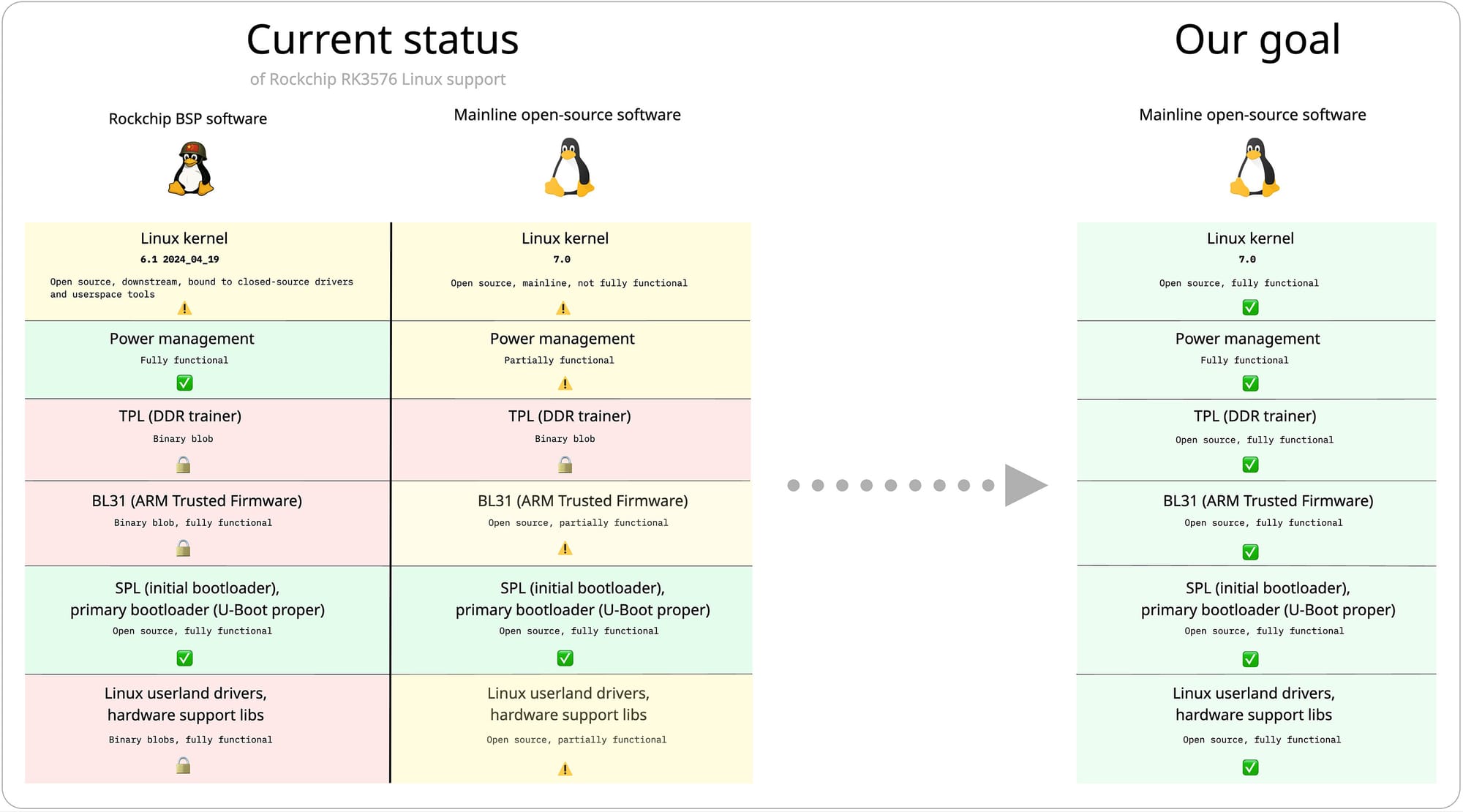
We say "truly open" because the current state of ARM Linux is depressing. Every vendor bolts on their own custom mess: closed boot blobs, vendor-specific patches, "board support packages" that nobody outside the chip maker can really understand. You can no longer just read the specs and understand how computers work — you can only learn the workarounds for one specific chip with one specific BSP. We're sick of this ourselves, and we don't want to be part of the problem by shipping yet another product that just adds to the mess.
To pull this off, we've partnered with the Collabora team to push full support for the Rockchip RK3576 SoC into the mainline Linux kernel. Practically, this means you can download the kernel directly from kernel.org, with zero vendor patches, and run it on your Flipper One.
👩👩👧👦
We've partnered with Collabora to bring the RK3576 SoC into the mainline kernel and give Flipper One full upstream support.
Read more: Collabora blog post
Current RK3576 mainline support is in pretty good shape, and all the major components are working. But there's still one last binary blob in the boot chain — the DDR trainer, which initializes RAM during early boot.
Right now, we're focused on power management and USB DP Alt-mode support. There are also drivers and accelerators that aren't fully upstream yet — the NPU, hardware video decoding, and other accelerators. Collabora maintains a public list of what's already working in mainline and what isn't, and we'd love help closing those gaps.
Openness has always been our thing. With Flipper One, we want to go further — not just open-source code, but an open development process. We're publishing our task trackers, internal discussions, half-finished docs, and architectural debates. All the messy stuff companies usually keep behind closed doors.
Introducing → Flipper One Developer Portal
This is uncomfortable. We've never been this open before, and there's a real instinct to hide the unfinished work, the wrong turns, and the arguments. But we believe the educational value of building openly is worth more than the polish of pretending it was easy.
What is the Developer Portal?
Flipper One Developer Portal is a public wiki with all the development documentation for Flipper One, and anyone can edit it. The portal describes the project's structure and ways you can participate in development.
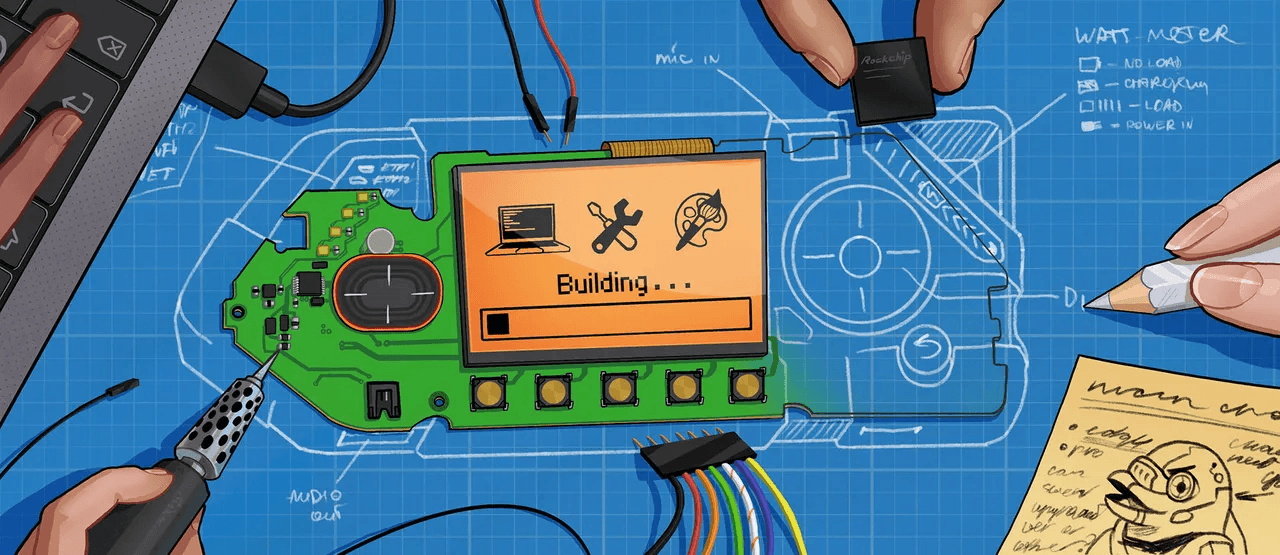
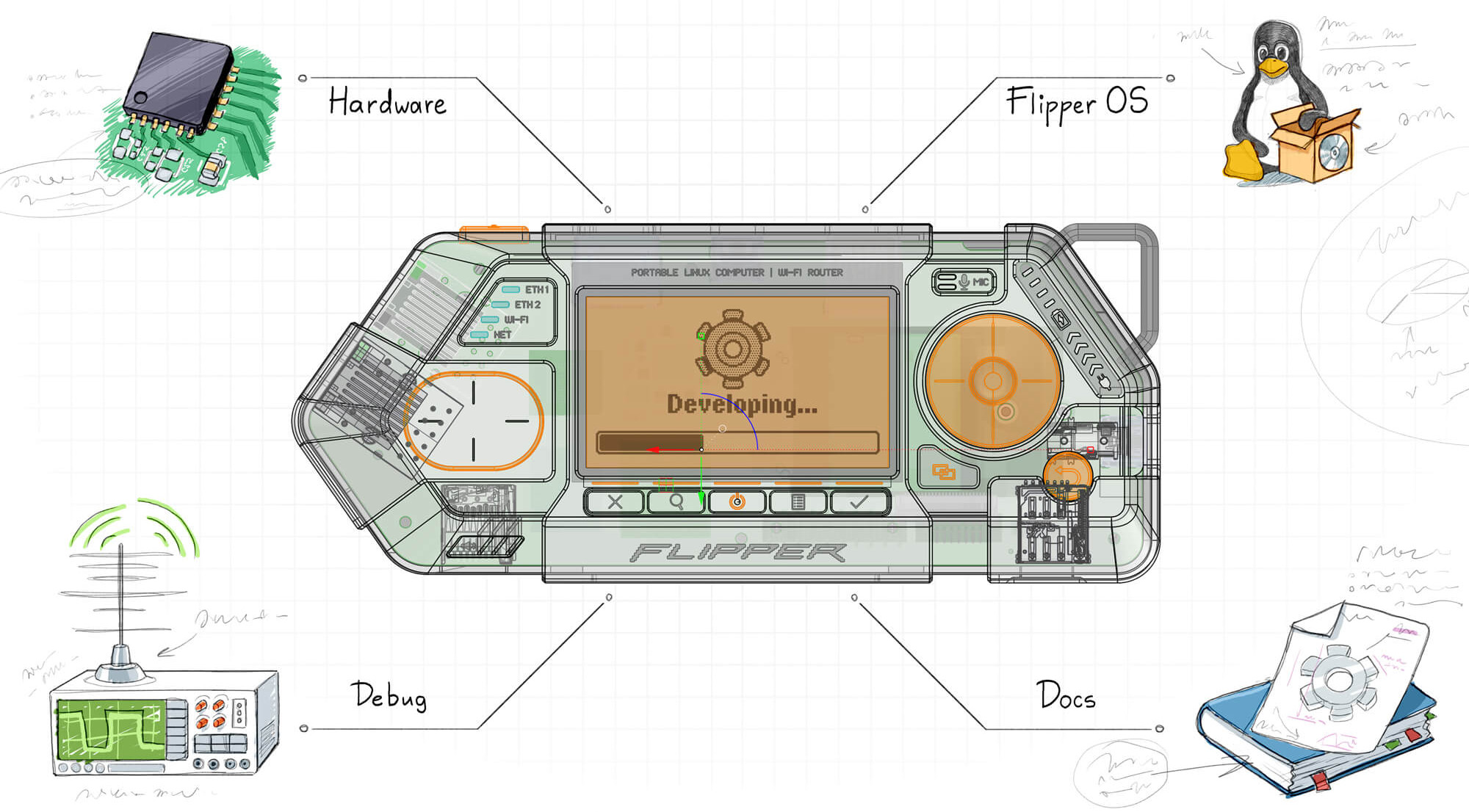
Flipper One is a massive project, and several teams are working on it, each responsible for its own part. We call these parts sub-projects:
- 🔌 Hardware — electrical hardware development. This is where the printed circuit boards (PCBs), antennas, and everything related to the electrical connections of chips, connectors, and processors are designed.
- ⚙️ Mechanics — mechanical engineering and industrial design. This is where the enclosure, buttons, plastic and metal parts, and mounting components are designed. Everything the user physically interacts with.
- 🐧 Linux (CPU Software) — software development for the RK3576 processor. Linux kernel, modules, drivers, userspace, bootloader, Rockchip tools, etc. This is the largest and most complex sub-project, spanning many repositories.
- 🕹️ MCU Firmware — firmware development for the RP2350 microcontroller, which controls the display, power subsystem, and CPU boot process, and handles button and touchpad events.
- 🎨 User Interface — UI/UX development. This is where the user interface, the device's visual language, and all graphics are developed.
- 📚 Docs — developer portal wiki, technical docs, guides, and datasheets. All documentation, including the Developer Portal itself, is developed here. It covers the Flipper One product, development processes, and contribution guides.
- 🧪 Testing — tools for testing device subsystems and hardware validation. Includes scripts and programs for testing power, networking, CPU, audio, graphics, etc., as well as interface prototypes, demos, and test apps.
Whether you're an engineer, software developer, designer, or simply an enthusiastic user with ideas to share, you're welcome to participate in development and help shape Flipper One.

We're also hiring a Developer Portal Manager — someone to act as a proxy between our dev team and the community, help shape the Developer Portal, and engage with contributors. Apply for the Developer Portal & Community Manager role.
Flipper One runs on two processors: a high-performance CPU and a tiny low-power MCU. They run in parallel, and each manages its own part:
- High-performance CPU — the 8-core
RK3576SoC that runs Linux. It comes with a Mali-G52 GPU and an NPU for running LLMs and other models locally. There's also 8 GB of RAM on board. Read more in CPU Software. - Low-power MCU — the 2-core Raspberry Pi
RP2350microcontroller that controls the display, buttons, touchpad, LEDs, and the power subsystem. It runs its own MCU Firmware.
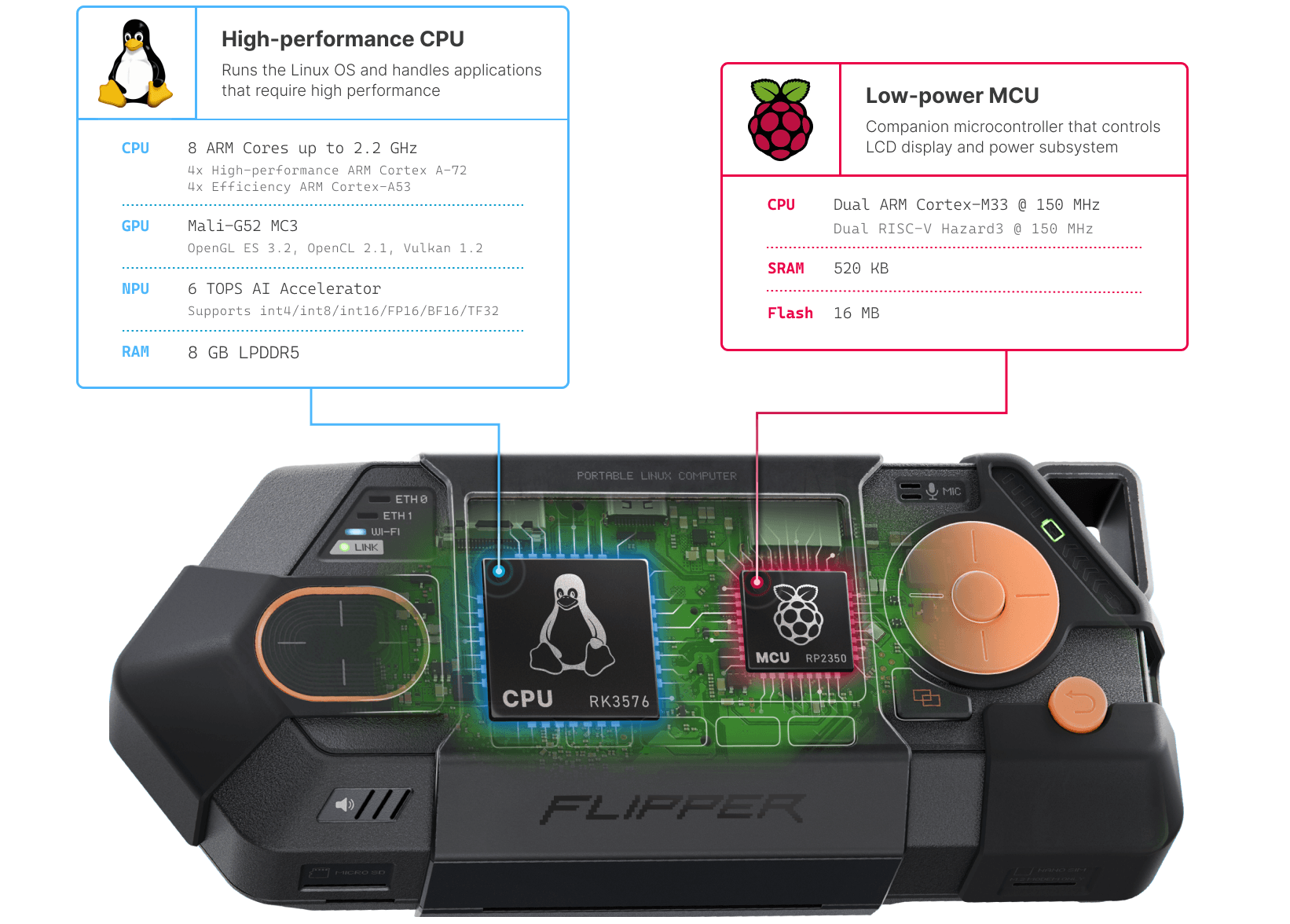
The device can run on the MCU alone. Even when Linux is off, you can control Flipper One with its buttons and LCD screen, configure the boot process — all without the main CPU running. This is what's missing on most SBCs: when Linux is off, the device is dead.
MCU ↔ CPU interconnect
The two processors communicate over a set of interfaces we call the Interconnect: SPI carries the framebuffer to the MCU for display output, I²C carries commands to the MCU and button and touchpad events back to the CPU, and UART plus a few GPIO lines handle CPU boot control. This is a non-trivial architecture.
We plan to land the display and input drivers in the Linux kernel. We want to do it cleanly, without out-of-tree vendor hacks. We'd love for the kernel community to review this design, push back on it, and help us upstream it the right way.
How we're reimagining Linux cyberdecks
I'm a fan of Raspberry Pi and use it in my own projects, including carrying one around as a travel tactical Linux box. A typical Raspberry Pi OS (formerly Raspbian OS) workflow looks like this: today it's a router, tomorrow it's a TV box, the day after that it's a logic analyzer for a debug session. You install dozens of packages, compile some from source, edit system configs, tweak the device tree, patch the kernel — and very quickly the system turns into a mess. There's no clean way to undo it. Roll back to factory? Doesn't exist. Every new project starts with re-flashing the SD card.
What is Flipper OS?
We want to fix this and reimagine how people use Linux on the go. We're building Flipper OS — a layer on top of a Debian-based system that introduces profiles: full snapshots of the OS with different preconfigured packages and settings. You can boot a profile, clone it, break it, install whatever, and jump back to a clean copy. Or switch to an entirely different profile for a different use case. No more SD card shuffling.
Honestly, Flipper OS is an extremely hard project, and we're not 100% sure how to architect it yet. We're prototyping concepts, and we want this to be useful far beyond Flipper One — for cyberdeck builds based on Raspberry Pi, or any portable tactical Linux box. If you've thought about this problem or built something similar, we'd love to hear from you. Read about the Flipper OS concept.
FlipCTL — a UI framework for tiny screens
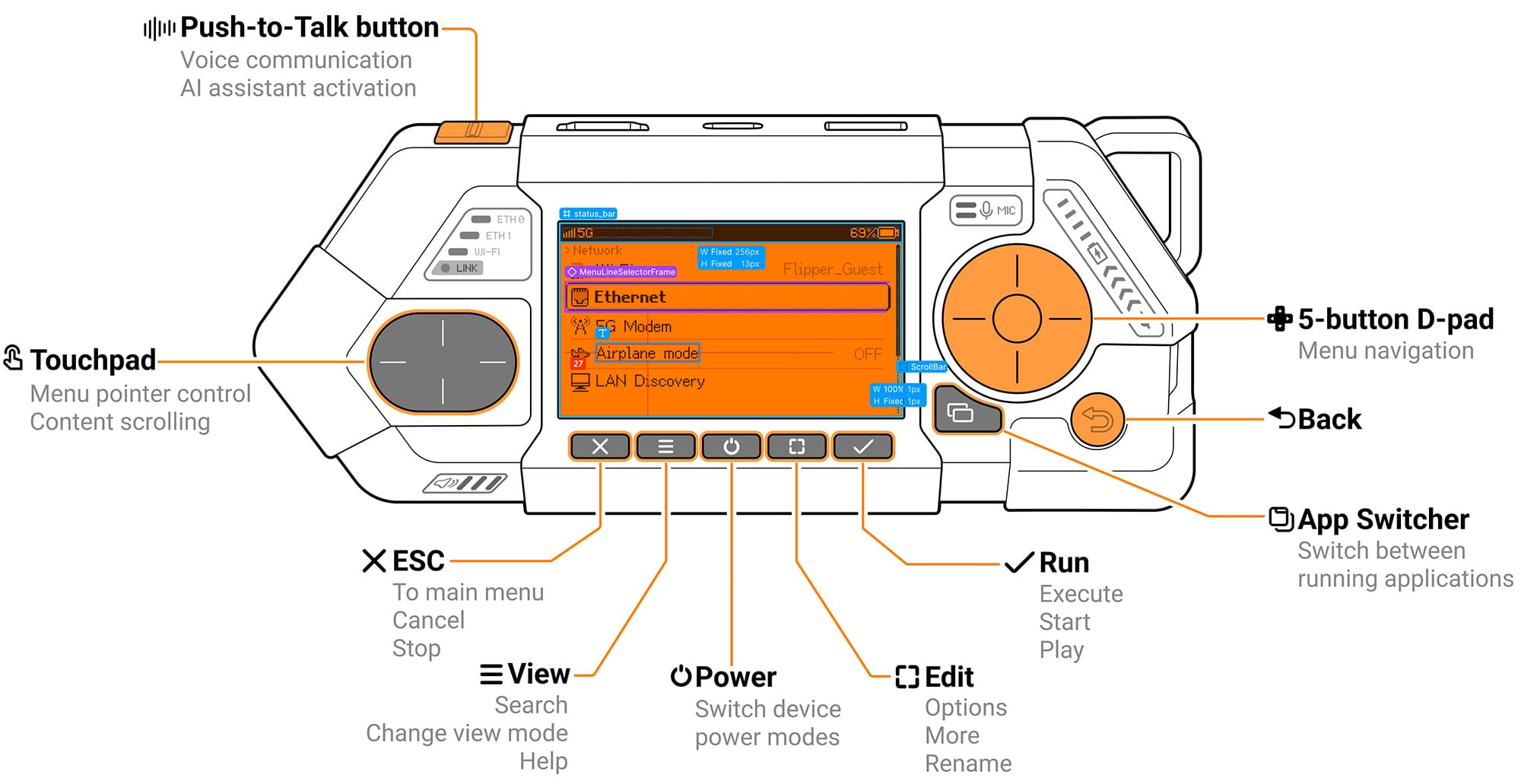
As part of Flipper OS, we're building FlipCTL to solve a problem common to all Linux-based cyberdecks: nobody designs UIs for small screens. So people end up running full desktop environments (KDE, GNOME, etc.) squeezed onto a tiny 7" touchscreen. It's miserable. What made Flipper Zero great was its user interface, purpose-built for a small LCD. That's largely what made the device popular. We want to bring that approach to Linux multi-tools.
FlipCTL is a framework for building menu-based interfaces for small LCD screens, controlled by a D-pad and a few buttons. The idea is to wrap existing Linux utilities like ping, nmap, traceroute in a clean, navigable UI that actually makes sense on a tiny screen. Our long-term goal: make adding an HMI (human-machine interface) to any embedded Linux device as easy as running one command: apt install flipctl
Routers, NAS boxes, servers, headless boards — anything you can bolt a small screen onto should be able to use FlipCTL. The idea is simple: get FlipCTL, write a config, and ship a usable interface without dragging in Qt, GNOME, or X11. We're also planning to release the Flipper One display and a button board as a standalone "FlipCTL Control Board" — a peripheral you can plug into any Linux-based device and instantly get a menu-driven interface. Right now, FlipCTL is still at the concept and architecture stage, and we'd love anyone interested to join in: Read about the FlipCTL concept.
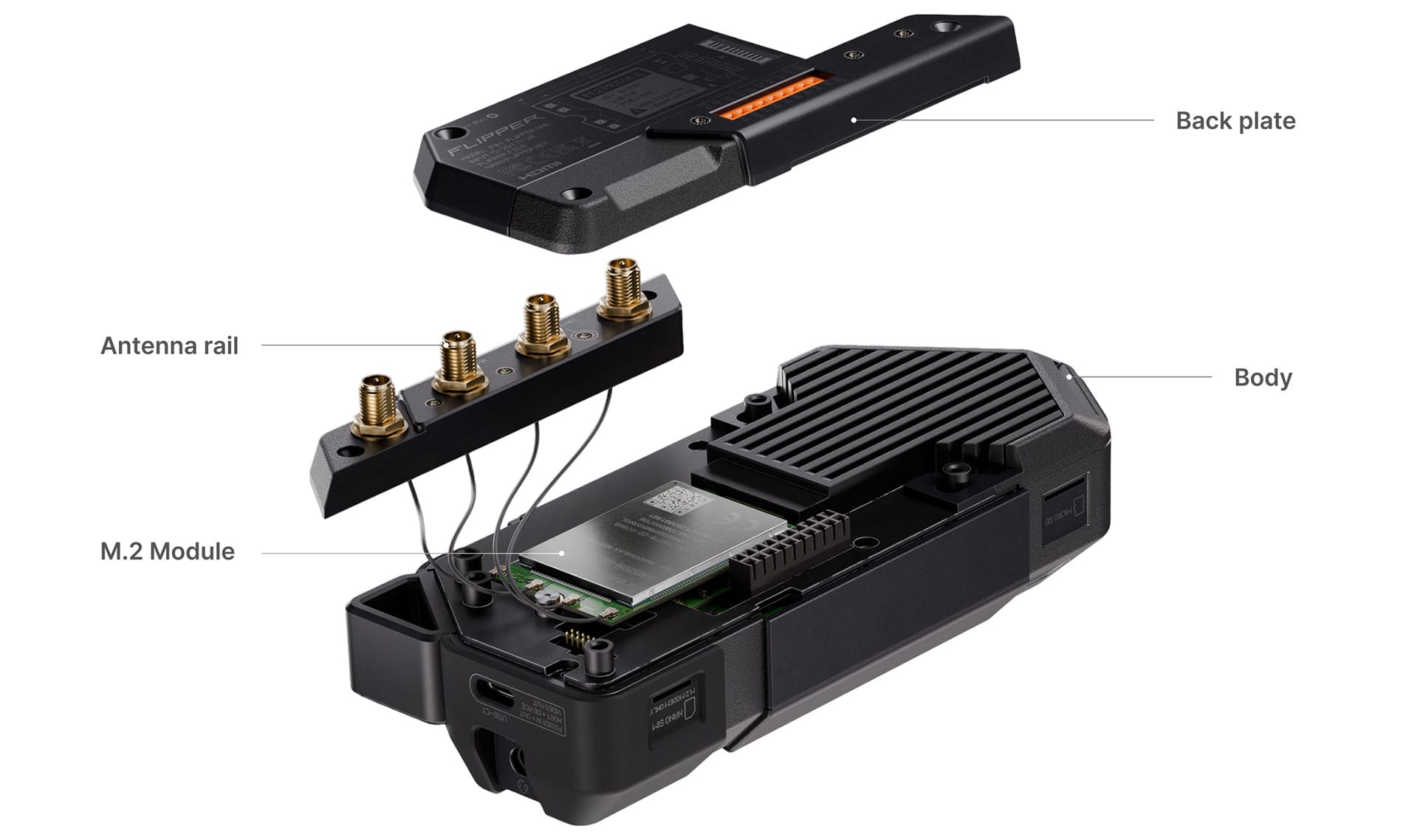
The core idea behind Flipper One is an expandable hardware platform. Anyone can turn it into their own specialized multi-tool. That's why we added support for high-speed M.2 expansion modules that install inside, under the back plate.
We worked hard to make the M.2 port in Flipper One as universal as possible, so you can plug in almost any type of module — cellular or satellite modems, SDR modules, AI accelerators, SSDs (NVMe or SATA), and Wi-Fi cards via adapters.
M.2 tech specs
We packed the M.2 port with as many interfaces as possible and added support for different module sizes:
- M.2 type:
Key-B - Supported sizes:
2242, 3042, 3052(up to D3 class thickness) - Interfaces:
PCI Express 2.1 ×1 / USB 3.1 / USB 2.0 / SATA3 / Serial Audio / UART / I2C / SIM card
For the full M.2 port specification and pinout, see the documentation: M.2 Port specification. We expect the community and vendors to build their own M.2 modules for Flipper One, so any feedback and suggestions are welcome.
For simpler DIY modules, we added a GPIO connector with standard 2.54mm pin headers. Even here, we made sure the device can be carried fully assembled with the module attached without it coming loose.
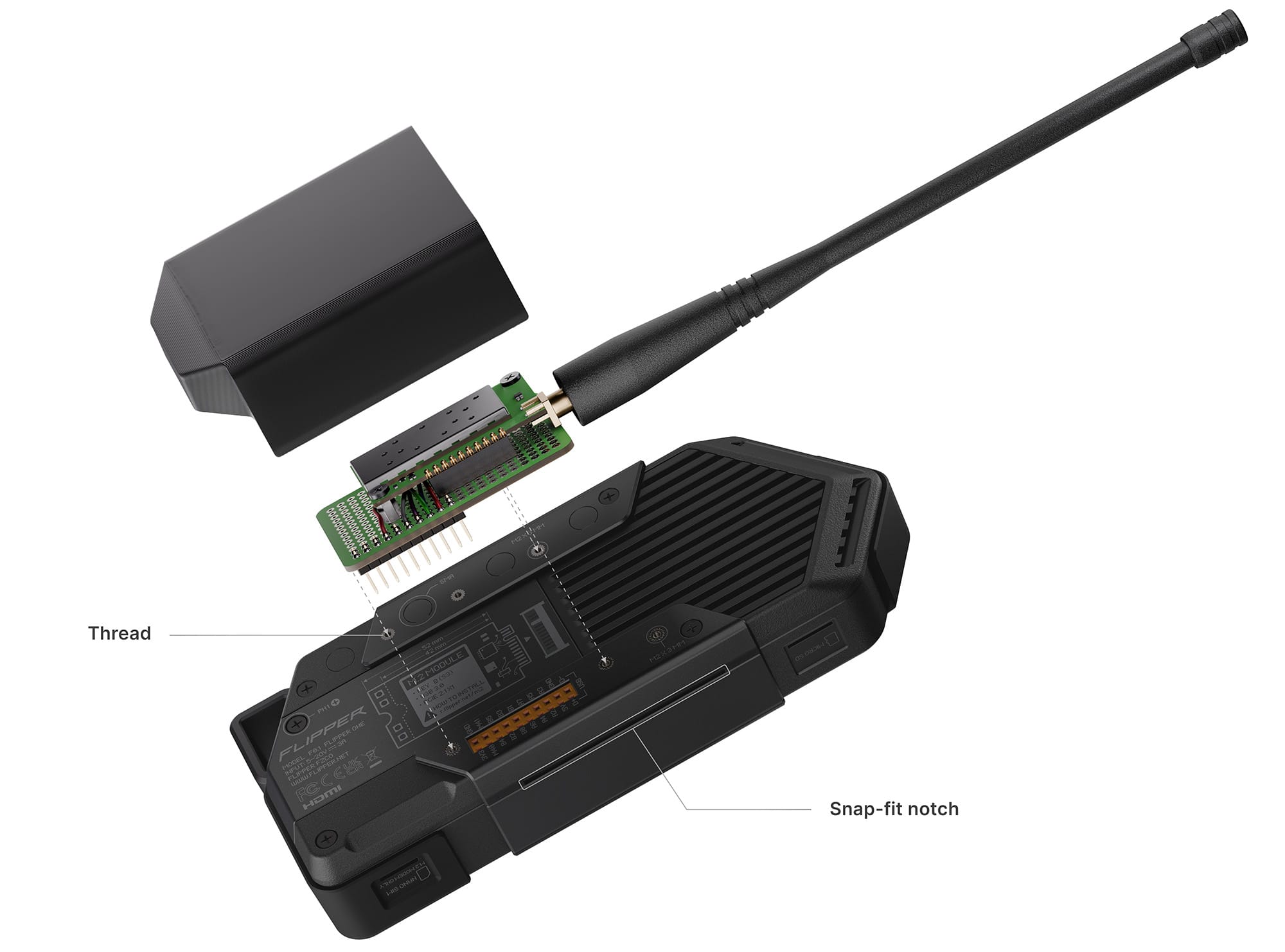
GPIO modules also have their own mounting system:
- Threaded inserts — the back plate and antenna rail have threads spaced in a grid with 2.54mm pitch, matching standard perfboard hole spacing. So you can just cut a piece of perfboard to size, solder your module onto it, and screw it to the Flipper One's back.
- Snap-fit notches — both sides of the body have notches for a snap-fit protective cover that adds rigidity to the whole assembly.
For the technical specification, pinout, and schematics, see the GPIO port page. You can also check out examples of GPIO modules, including a walkie-talkie and a camera module. Any feedback and comments are welcome.
Open hardware module system
[video] You can view and download the 3D models
We designed a custom mounting system for Flipper One modules. We are fully opening up the enclosure parts involved in this system:
- Body — the main enclosure of the device. M.2 modules screw into a metal heatsink plate, with two threaded inserts for 42mm and 52mm module lengths.
- Back plate — the rear cover that provides access to the M.2 expansion port. It attaches to the body with screws and can be swapped out for different designs depending on the installed module.
- Antenna rail — a separate part used for mounting SMA antennas. The antenna rail is intentionally separated from the back plate so that antennas can be installed and cables routed to the radio module before the back plate is closed. This eliminates the risk of damaging antenna cables during assembly.
You can download the 3D models today to design enclosures for your modules or even create your custom back plate and antenna rail. We look forward to community feedback and suggestions on the mechanical design of modules. Read about Mechanics.
Flipper One is all about connectivity — a Swiss Army knife for IP networks across all OSI layers. We packed in all the essential physical interfaces, giving you five independent network uplinks, which you can bridge together, configure custom routing for, or pipe through VPN tunnels:
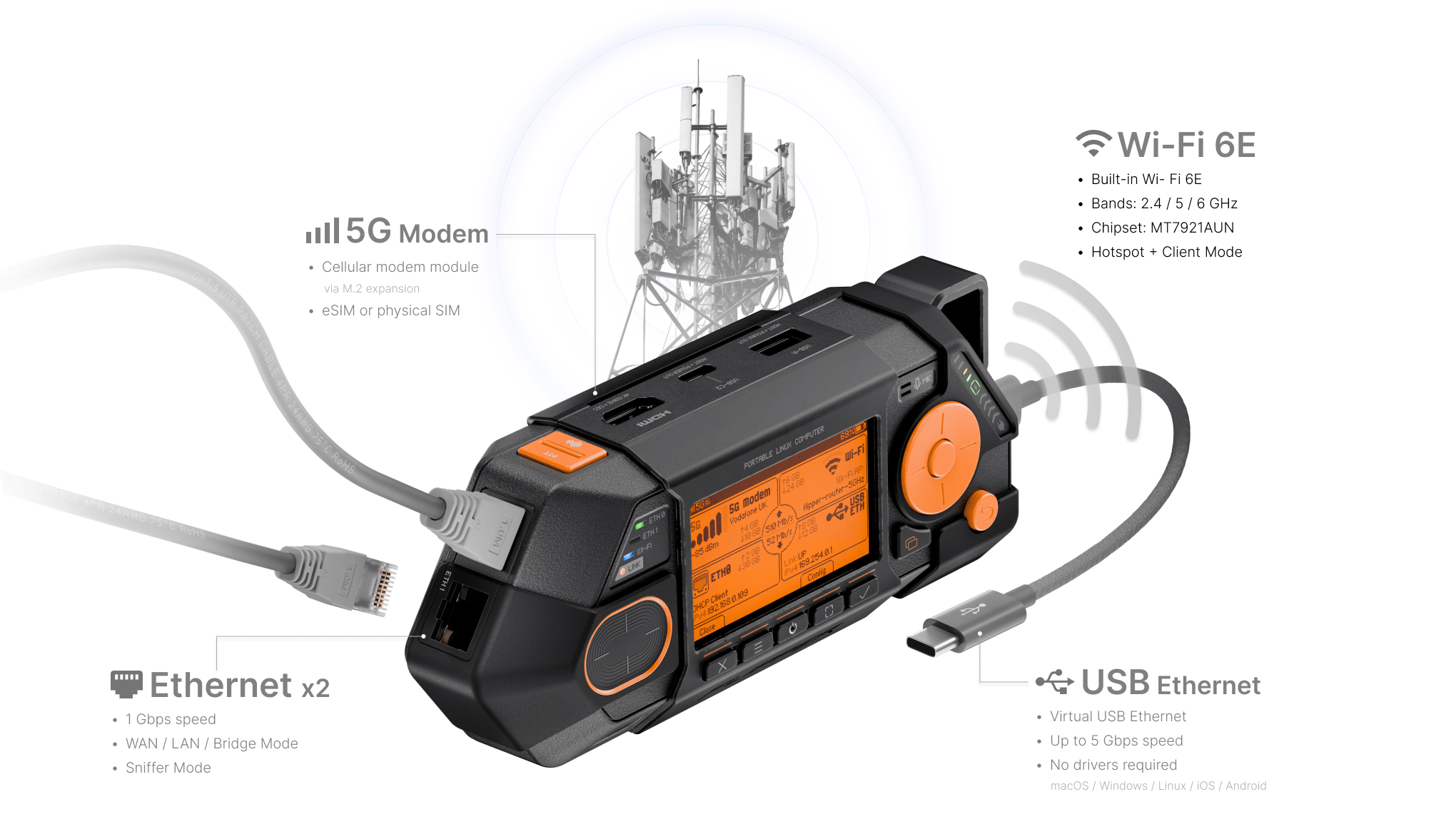
- 2× Gigabit Ethernet — two independent WAN/LAN ports, each running at 1 Gbps. Can be used for transparent bridge, MitM sniffing, and more.
- Wi-Fi 6E — 802.11ax based on the
MT7921AUNchipset with monitor mode support. Covers 2.4/5/6 GHz bands and can run as both a Wi-Fi client (STA) and a hotspot (AP). - Cellular modem — 5G or LTE modem via the M.2 expansion module, with support for external antennas. Accepts a physical Nano SIM (4FF) and eSIM.
- USB Ethernet — up to 5 Gbps emulated over USB-C. Connect your laptop or smartphone via a USB cable to add an extra network interface. Works via USB-CDC NCM, so no drivers are required.
Out of the box, Flipper One can work as a gateway to any network, a multi-hotspot bridge, an inline Ethernet sniffer, a USB Wi-Fi/Ethernet adapter for a PC or smartphone — or any combination, with dynamic routing, load balancing, and failover. We describe these as user-story-driven features in the Features list.
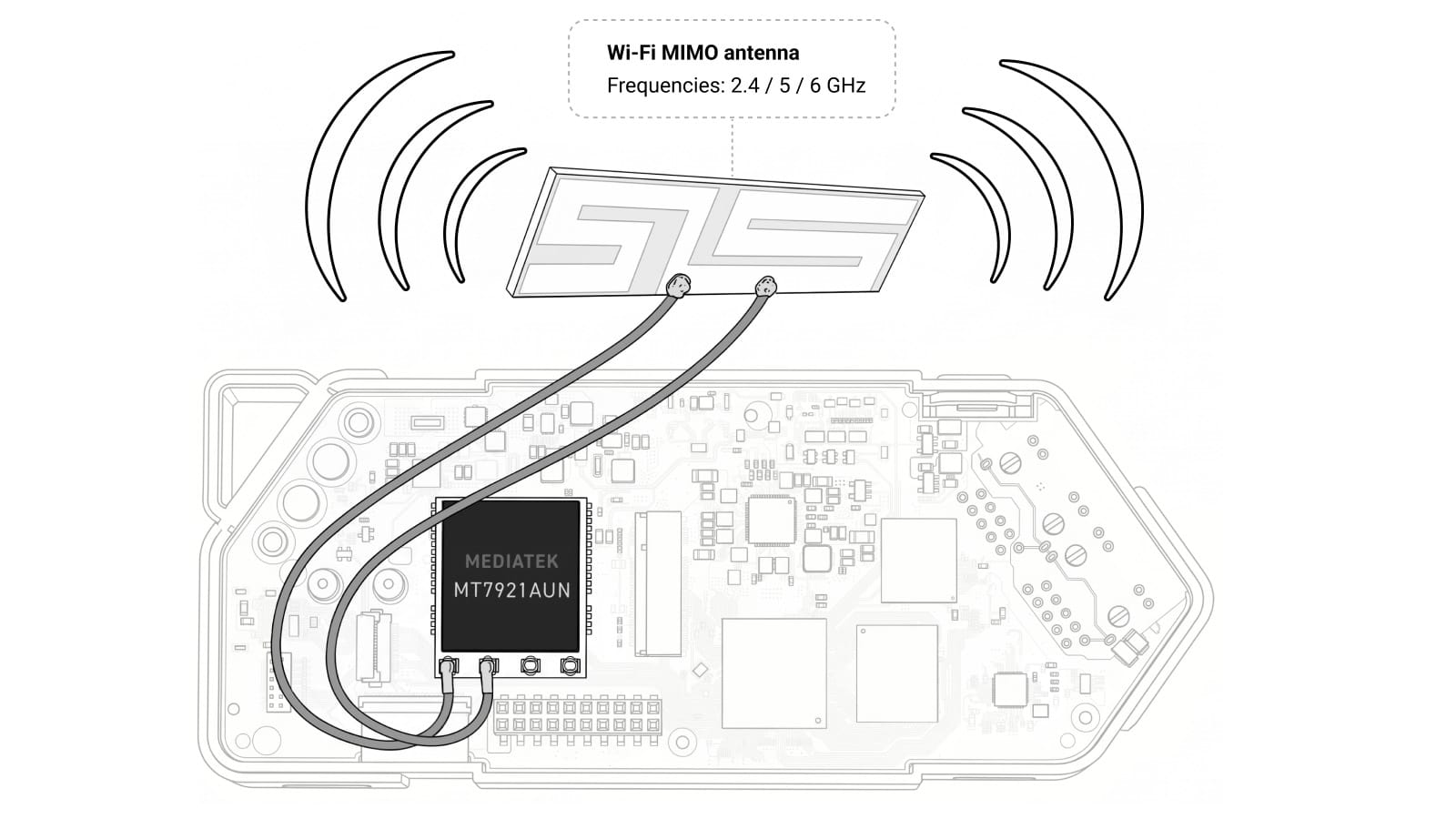
We want to build the most versatile integrated Wi-Fi into Flipper One — it needs to support all the features required for Wi-Fi network analysis, including monitor mode and packet injection. For now, we've settled on the popular MediaTek MT7921AUN chipset. It's modern enough, supports three frequency bands, and ticks just about every box. It's also supported by an open-source driver in the mainline Linux kernel. We're actively testing this chip right now and we'd love you to join in.
Same as Alfa AWUS036AXML
The Alfa AWUS036AXML is a well-known USB Wi-Fi adapter based on the MediaTek MT7921AUN chipset, known for its good driver support and compatibility with wardriving tools. There's a large community around this Wi-Fi adapter, but we want to make sure it actually behaves the way our users will need it to.
If you're into wireless work — auditing, monitoring, injection, mesh, anything — we invite you to come test it with us: read the Wi-Fi Testing page on the Developer Portal and help us decide whether this chipset is the right call, or whether we should look elsewhere before we lock in the design.
There is a satellite communication technology called NTN (Non-Terrestrial Networks) — a low-speed connection designed for IoT devices, standardized by 3GPP as part of the 5G and LTE specifications. It uses the standard cellular stack, including SIM/eSIM authentication, roaming, and regular IP traffic.
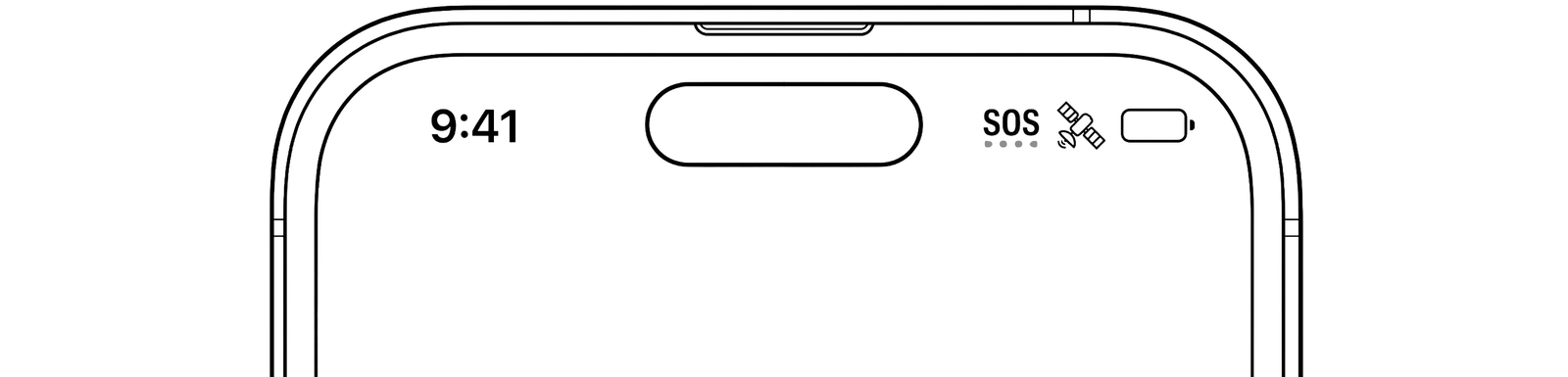
This is the same technology used in newer phones for sending emergency SOS messages when there's no cellular coverage. For now, this technology is mostly used on an experimental basis.
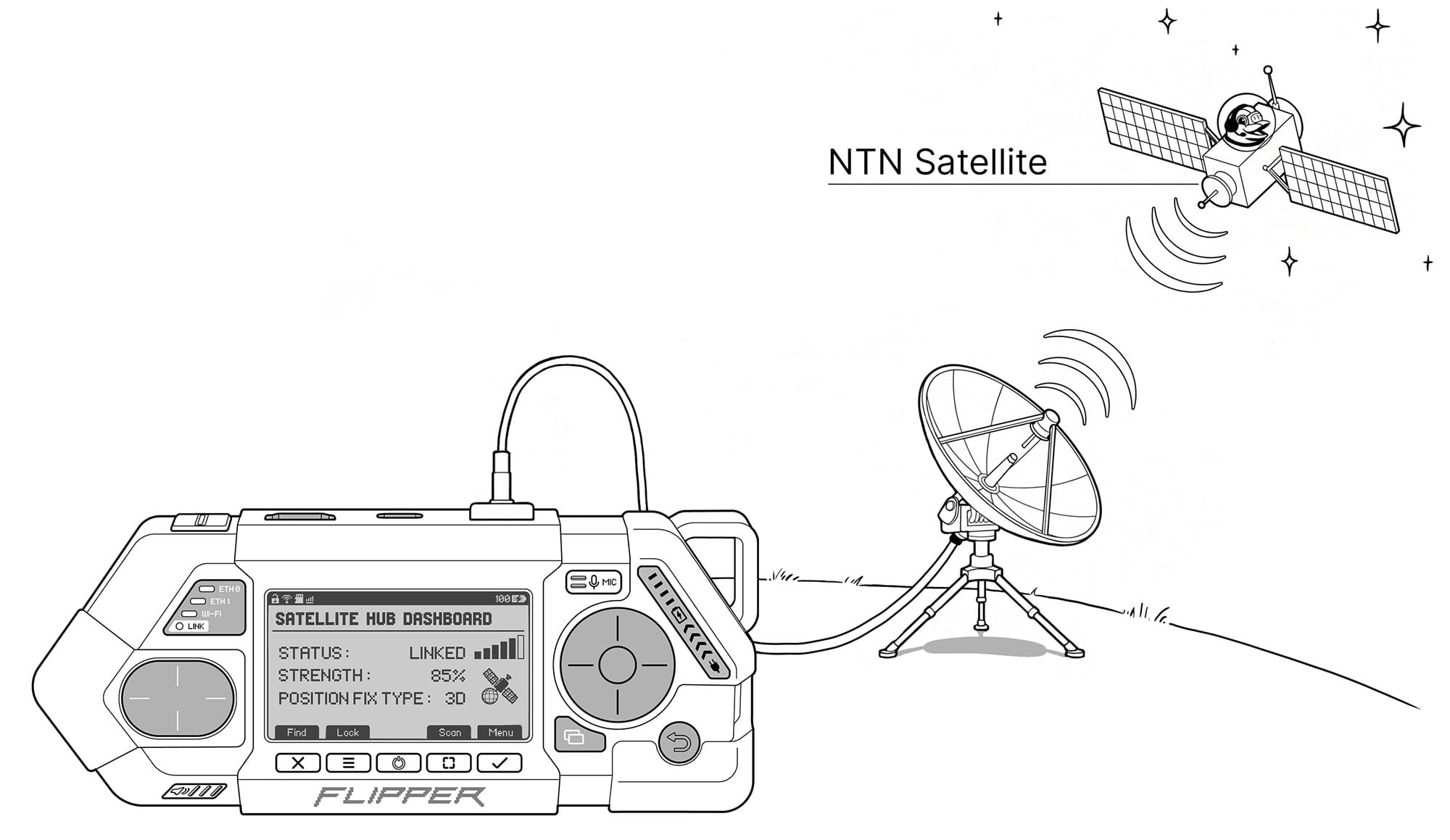
We want to add NTN satellite connectivity support to Flipper One to help popularize this technology and give engineers and enthusiasts a chance to work with real satellite infrastructure. To make this happen, we're looking for a partner company like Skylo that's ready to work with us to add support for their satellite network to our eSIM module and help us choose a specific NTN M.2 module that we can officially support. Read more on the Modules → Satellite modem page.
What's a device in 2026 without AI, right? Flipper One will support external AI agents through integrations. But what do you do when there's no internet, and you need help getting online?
Thanks to a built-in AI accelerator, Flipper One can run LLMs locally, without an internet connection — helping users operate the device, generate configs, and get useful tips.
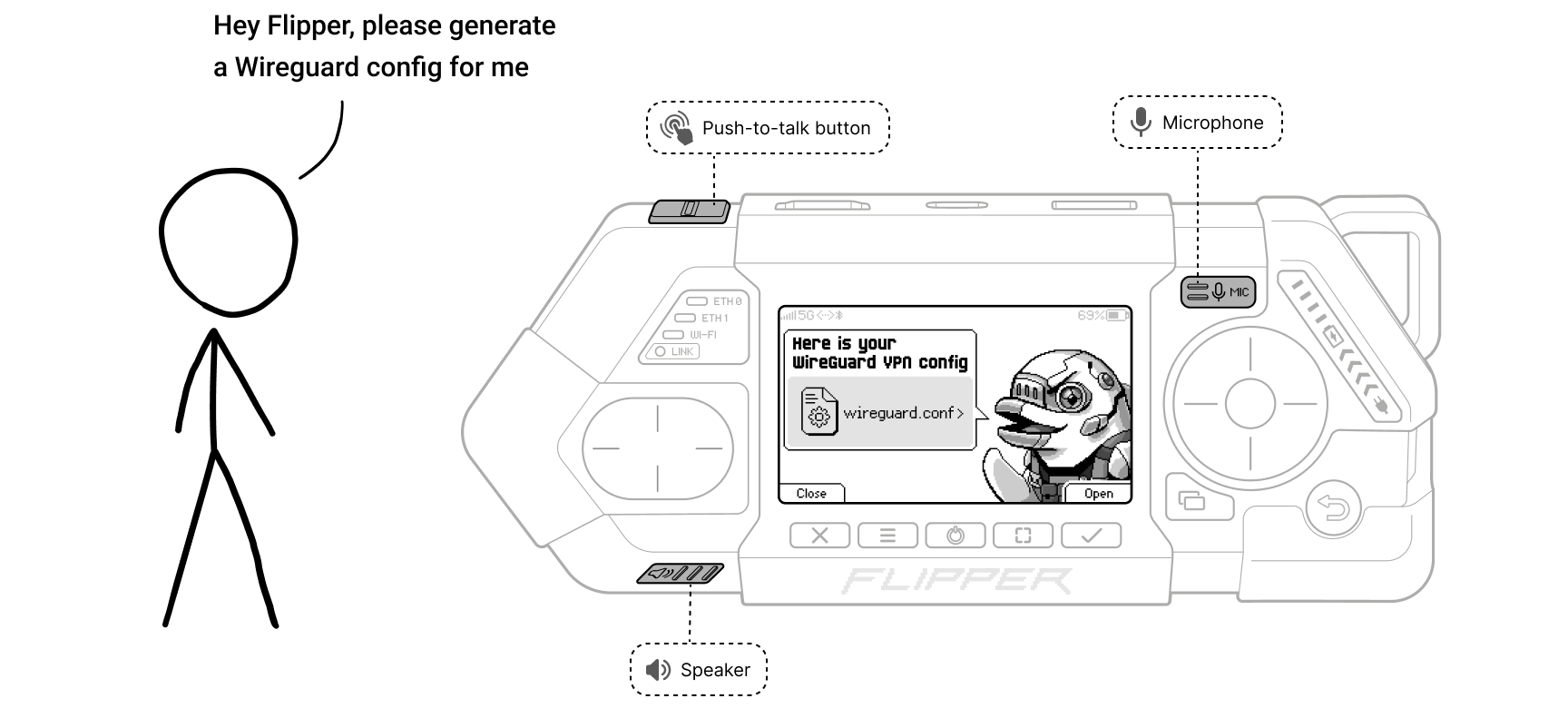
We want to train a specialized AI model that knows Flipper One's internals and applications inside out, so general-purpose models won't cut it. We invite the community to get involved.
Also, the NPU module is not currently supported in the mainline kernel, and that support still needs to be added. Read about RK3576 NPU support in mainline Linux and Mesa.
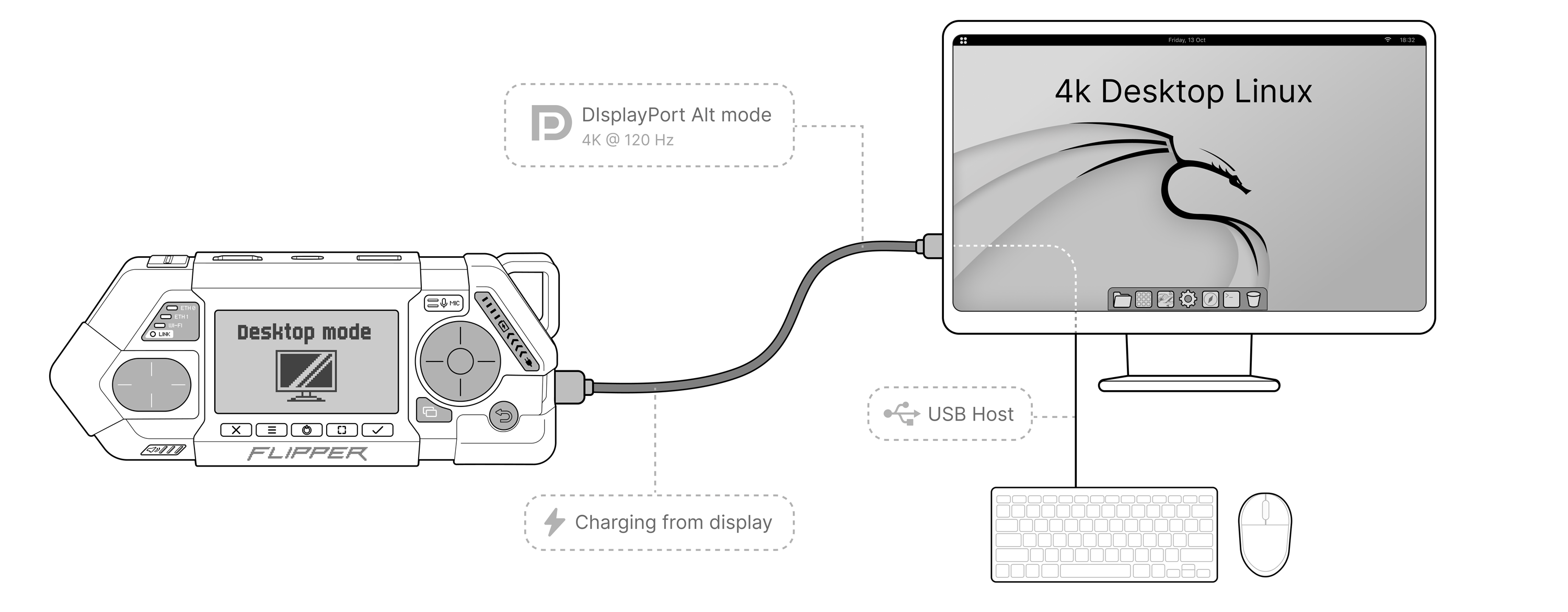
Flipper One can be used as a survival desktop or a thin client you always have on you. Plug it into a monitor with a single USB-C cable and you've got a real desktop on the go. Thanks to USB-C DisplayPort Alt Mode, Flipper One can charge, output video to a monitor, and connect USB peripherals — all through a single cable. Our processor's performance is comparable to the Raspberry Pi 5, so it handles web browsing and light dev work just fine.
Current desktop mode challenges:
- USB-C DisplayPort Alt Mode is a brutal set of protocols. We're fighting signal integrity issues, different monitors behave differently, and getting a stable connection is hard. On top of that, DP Alt Mode support is not yet fully implemented in the mainline kernel.
- Hardware video decoding is not yet supported in the mainline kernel. To keep video playback smooth, we need to add H.264/HEVC hardware video decoding support.
- What desktop environment to choose? KDE Plasma is one candidate, but maybe there's a leaner tiling WM that fits Flipper One better? We want a clean, fast, bloat-free desktop that works out of the box. Especially since this is one of those rare cases where a Linux desktop ships with the hardware, and every detail can be polished to perfection. If you have strong opinions, this is your moment.
I'm tired of every TV entertainment system being garbage, so I carry my own TV box and plug it into every hotel and Airbnb I stay at. But I still haven't found the perfect TV box without limitations or compromises, so I had to build my own.
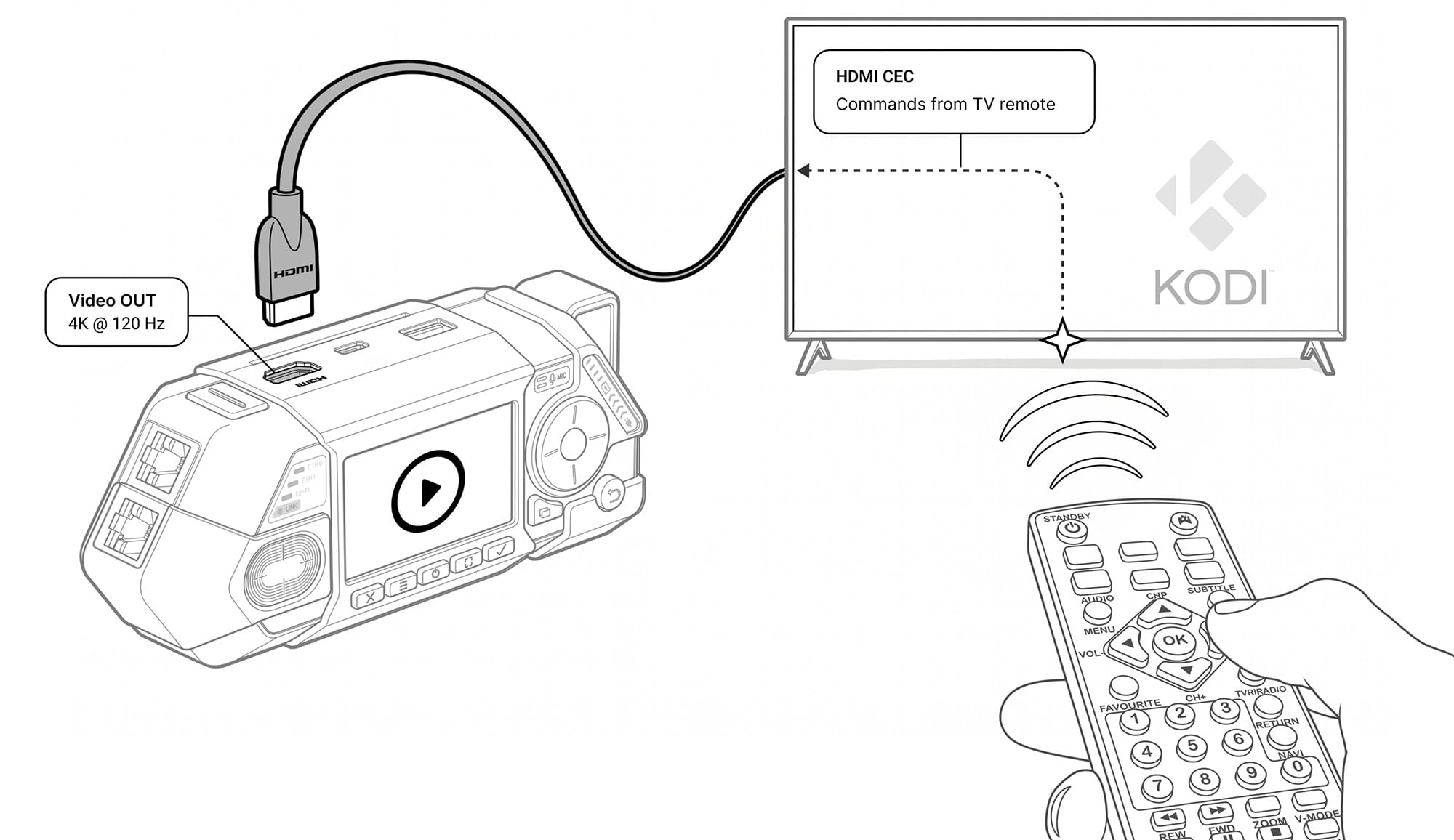
We deliberately put a full-size HDMI port in Flipper One, because all those Mini and Micro HDMI ports are a pain in the ass (sorry, Raspberry Pi) — you never have the right cable when you need it. And even though the HDMI port is proprietary and requires licensing fees, we went with it anyway so people don't have to deal with adapter hell.
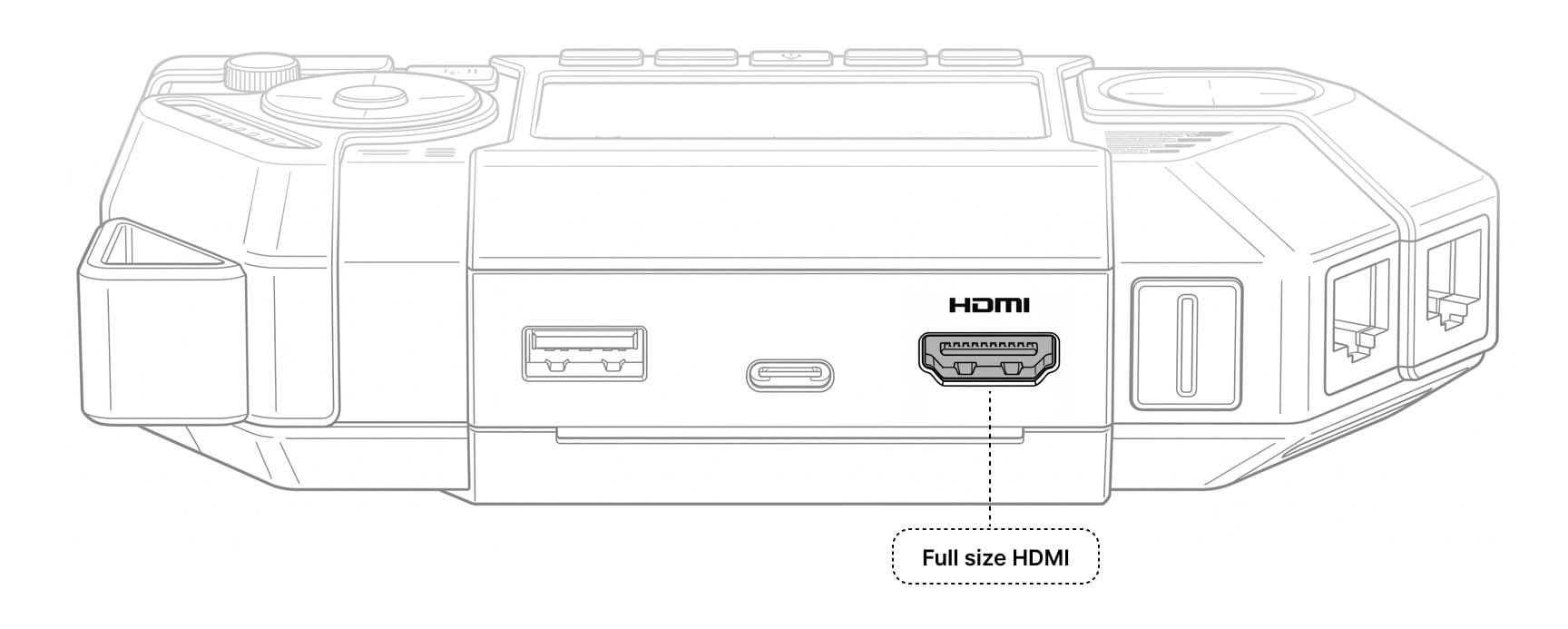
- Full-size HDMI 2.1 port — no adapters, just a proper full-size connector.
- 4K @ 120Hz — high resolution with a 120Hz refresh rate, making the HDMI output suitable for connecting a monitor in desktop mode as well.
- CEC support — CEC (Consumer Electronics Control) lets you pass commands from your TV's original remote to the media box. This means you can control the media interface straight from your TV remote, no extra mouse or keyboard needed.
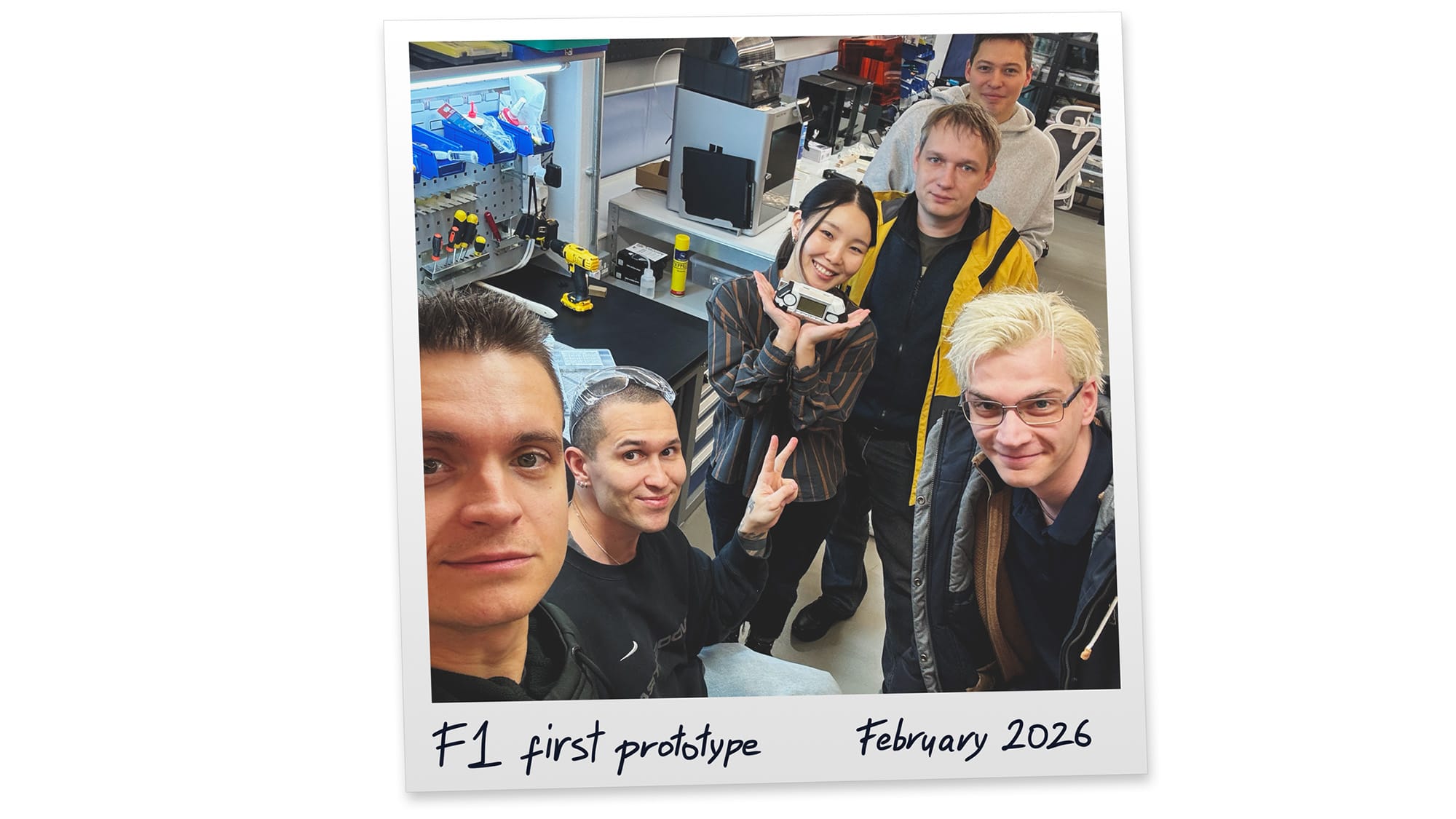
Our experience with Flipper Zero showed that genuine passion and love for what you do can lead to amazing results. There are about 1 million Flipper Zero devices in people's hands now, and that's incredible. We built a huge community around it and inspired people to explore new technologies — and pushed vendors to make safer, more transparent products.Flipper One is a deeply personal project. I've been thinking about the concept of a pocket Linux multi-tool for the last 10 years, but I always felt the available technology and components weren't good enough. It was important to me to release a product without compromises — one that's truly worth it. And now, it finally feels like the right time.
There's a lot of uncertainty in this project, along with technical challenges and financial risks (like the current RAM chip crisis). I don't know if we'll be able to do everything we've planned, but we'll give it everything we've got. Thank you all, and welcome to a new adventure.
— Pavel Zhovner & Flipper Devices team
The Flipper Devices team is small. The project is large. We can't do this without you. Here's how you can get involved:
- Flipper One Developer Portal — the entry point into every sub-project. Browse sub-projects, find tasks tagged
help wanted, read the contribution guides, and subscribe to our developer-focused weekly digest. - X.com/Flipper_RND — project updates and announcements.