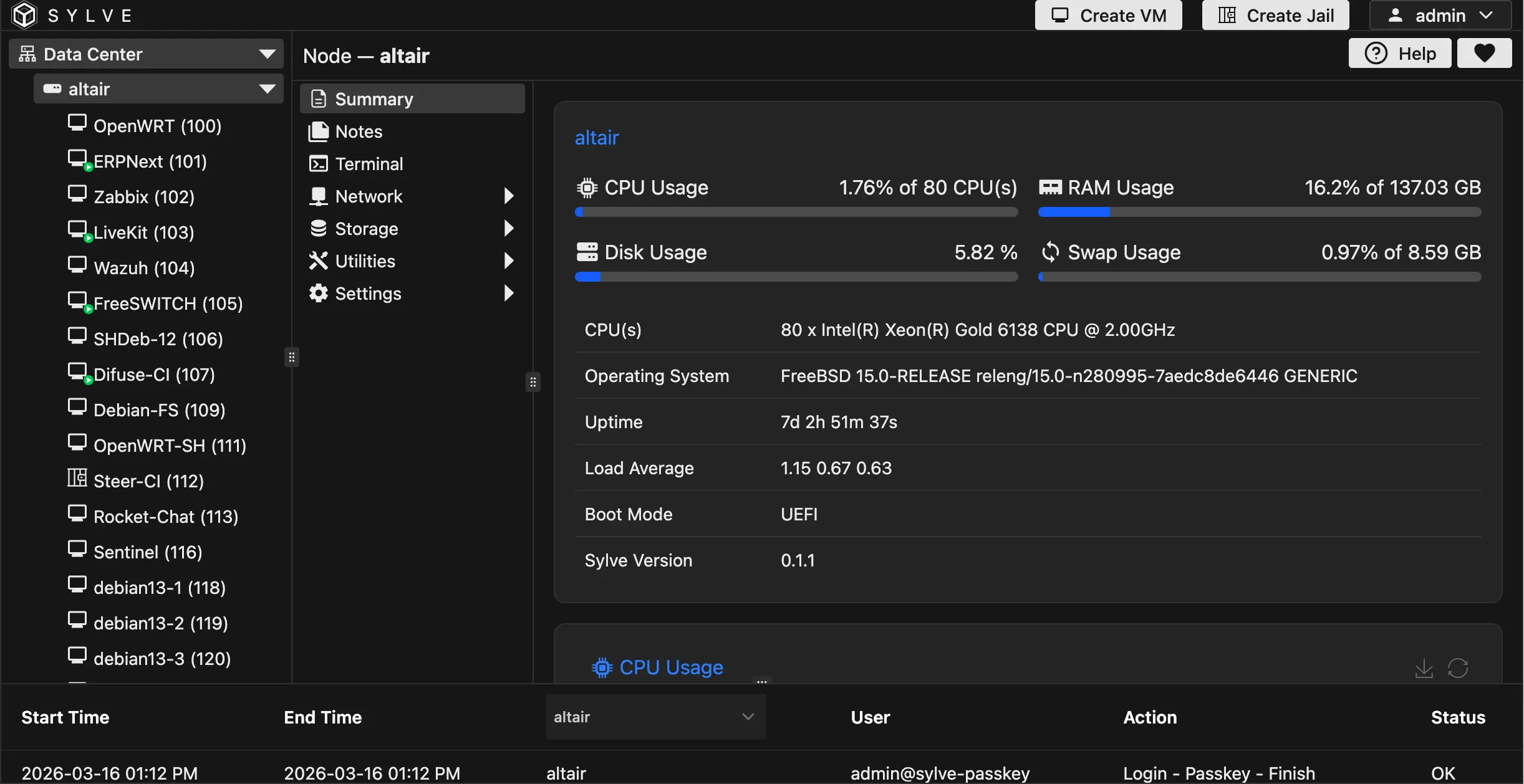
For a long time, our office lab was good enough. We were running Proxmox, it worked, and there was no dramatic outage behind this change. The issue was more gradual than that: over time, the stack started to feel heavier than the work we were actually doing, and we were spending more energy managing infrastructure than simply using it.
That was not really a knock on Proxmox. We still deploy it for clients who want a more classical VM-based HA setup and feel that cloud-native tooling is unnecessary for their environment. To be fair, that is still a sensible choice for a lot of environments. But our own workload kept pulling us in a different direction.

Internally, most of what we do is fairly repetitive in the least glamorous way possible. Every developer gets a remote VM with a consistent setup and remote VS Code access. We are constantly spinning up fresh systems to test our custom Linux distribution, rebuilding machines, adjusting storage behavior, and occasionally passing hardware through for validation. After a while, you stop thinking about infrastructure as a feature matrix and start caring about whether routine work feels smooth or irritating. That, more than anything else, is what pushed us toward FreeBSD and Sylve.

We were also fairly early on Sylve. We ended up being one of the first teams to run it seriously, which meant we were not only using it but also helping test it in real infrastructure and feeding back into development. That gave us a much better sense of what held up in day-to-day use and what still needed work.
What clicked for us was how little the stack tried to reinvent. FreeBSD already gives us the primitives we care about: ZFS, bhyve, jails, pf, VNET, epair interfaces, and the rest. Sylve sits close to those pieces and gives us a clean way to manage them without turning the management layer into a separate universe.
That fit our workflow almost immediately. A lot of our week is made up of the same kinds of small tasks: provision a VM, tweak storage settings, pass through a device, replicate a dataset, share a file, test an image, throw the machine away, do it again. None of that is exciting, but it is the real shape of our infrastructure, and we wanted a stack that stayed lightweight under that kind of repetition.
That is where the setup started to feel right. ZFS stays close to the surface, so snapshots, backups, replication, and storage tuning feel natural instead of bolted on. Hardware passthrough is manageable from the UI, which matters when you are testing a distro, or even doing something fun like Jellyfin with GPU passthrough, and do not want every experiment to begin with a terminal side quest. Cloud-init is there when we need it without turning provisioning into a separate ritual. Even basic Samba sharing turned out to be useful in the way basic tools usually are: simple, unremarkable, and constantly handy.


Some of the wins were even more practical than that. Distro mirror downloads are not always fast or reliable in our region, so being able to pull images over torrent or magnet links turned out to be genuinely useful. On-the-fly VM disk image conversion also removed a surprising amount of tedious manual work when testing and rebuilding systems. And the web terminal ended up mattering more than we expected too. Sylve uses ghostty-web, and having a console that is actually fast and pleasant to use makes a difference when you are in it all day.

That is probably the simplest version of the story. We were not looking for a grand new infrastructure model. We just wanted a stack that felt proportionate to the job: stable, direct, and not unnecessarily demanding for the kind of work we do every day.
For many teams, especially SMEs, a mature virtualization platform with a straightforward HA story is still the obvious choice. But our own workload kept rewarding a smaller, more native approach. That is where we ended up with FreeBSD and Sylve. Not because we wanted something more ambitious, but because we wanted infrastructure to take up less space in our heads.
One small note: it has been good to see the FreeBSD Foundation supporting work in this area. To us, that feels like a meaningful sign that the platform is moving in the right direction for people building real infrastructure on top of it. We’re also hoping to see live migration land in main soon.
If you’d like a demo of Sylve or just want to talk through whether it makes sense for your environment, we’d be happy to help. You can reach us at [email protected] or +971-4-2142000.