What on earth is beaconDB?
I've been using GrapheneOS for about half a year now. Back in March they added support for network based location.[^0] This means you no longer need to rely on Google's location services. Looking into how the system works sent me down yet another rabbit hole of reading.
Anyways, in 2013 Mozilla launched Mozilla Location Service (MLS) as a pilot project to provide location lookup using observations of public cell towers, BLE Beacons and WiFi access points. Sadly, in 2024 Mozilla retired MLS. Thankfully, beaconDB launched to continue the work!
I have been hacking away on a project for contributing observations to beaconDB and I wanted some BLE beacons I could use for testing. This experiment sort of spun off from that work.
The plan is simple:
- Buy some BLE beacons.
- Get their MAC addresses.
- Query the beaconDB API to confirm no location is currently associated with the beacons.
- Place the beacons in my yard.
- Take my dog on a walk around the block while running NeoStumbler.
- Re-run the API query to see location estimates.
What on earth are BLE Beacons?
I've been writing the phrase BLE beacons a lot without describing what they are. So to disambiguate :
- Bluetooth - a wireless communication standard.
- Bluetooth Low Energy - part of the Bluetooth 4.0 protocol, much lower power consumption, but also reduced transmission rates.
- BLE beacons - BLE devices that are primarily transmit only.
Stationary BLE beacons are often used to mark locations in places where GPS signals are weak, like inside malls. Also, there is no single BLE beacon standard. Instead we have:
iBeacon which was released by Apple in 2013. Apple generally still supports them.
In 2014 Google launched the experimental URIBeacon. Then in 2015 Google replaced that with Eddystone. A one point Google was really into the concept of the Physical Web, but thankfully gave up on spamming users with notifications in 2018. This effectively reduced Google's involvement with the standard. Eddystone also powers the Waze beacons that saves me from missing my exit in the Ted Williams Tunnel.
AltBeacon was released in 2014 as an open standard. There are also other less used beacon standards out there.
Also, since BLE beacons are just BLE devices with extra details attached to the broadcast information, both iPhones and Android devices can scan for any standard. Best of all, most modern beacon devices should support broadcasting multiple beacon types at the same time.
In terms of collecting information about all these different types of beacons, Neostumbler uses the Android Beacon Library, which can detect the three main beacon types. Though they want to move away from the library so they can support custom scanning intervals.
Which BLE beacons did I choose?
When I was surveying the options I saw that many beacons included features like motion detection, lights, buttons, sound, etc. I wanted a stationary beacon with a long battery life, so I tried to avoid extra features if possible to keep the cost down. Additionally there are BLE beacons designed for broadcasting over extra long ranges. However the Bluetooth / WiFi accuracy section of the MLS documentation notes:
Bluetooth and WiFi networks have a fairly limited range. Bluetooth low-energy beacons typically reach just a couple meters and WiFi networks reach up to 100 meters. With obstacles like walls and people in the way, these distances get even lower.
...
This means position estimates based on WiFi networks are usually accurate to 100 meters. If a lot of networks are available in the area, accuracy tends to increase to about 10 or 20 meters. Bluetooth networks tend to be accurate to about 10 meters.
So in my case, I specifically do not want a long range beacon in order to improve location accuracy.
In the end I settled on the Feasy FSC-BP104D and bought two of them: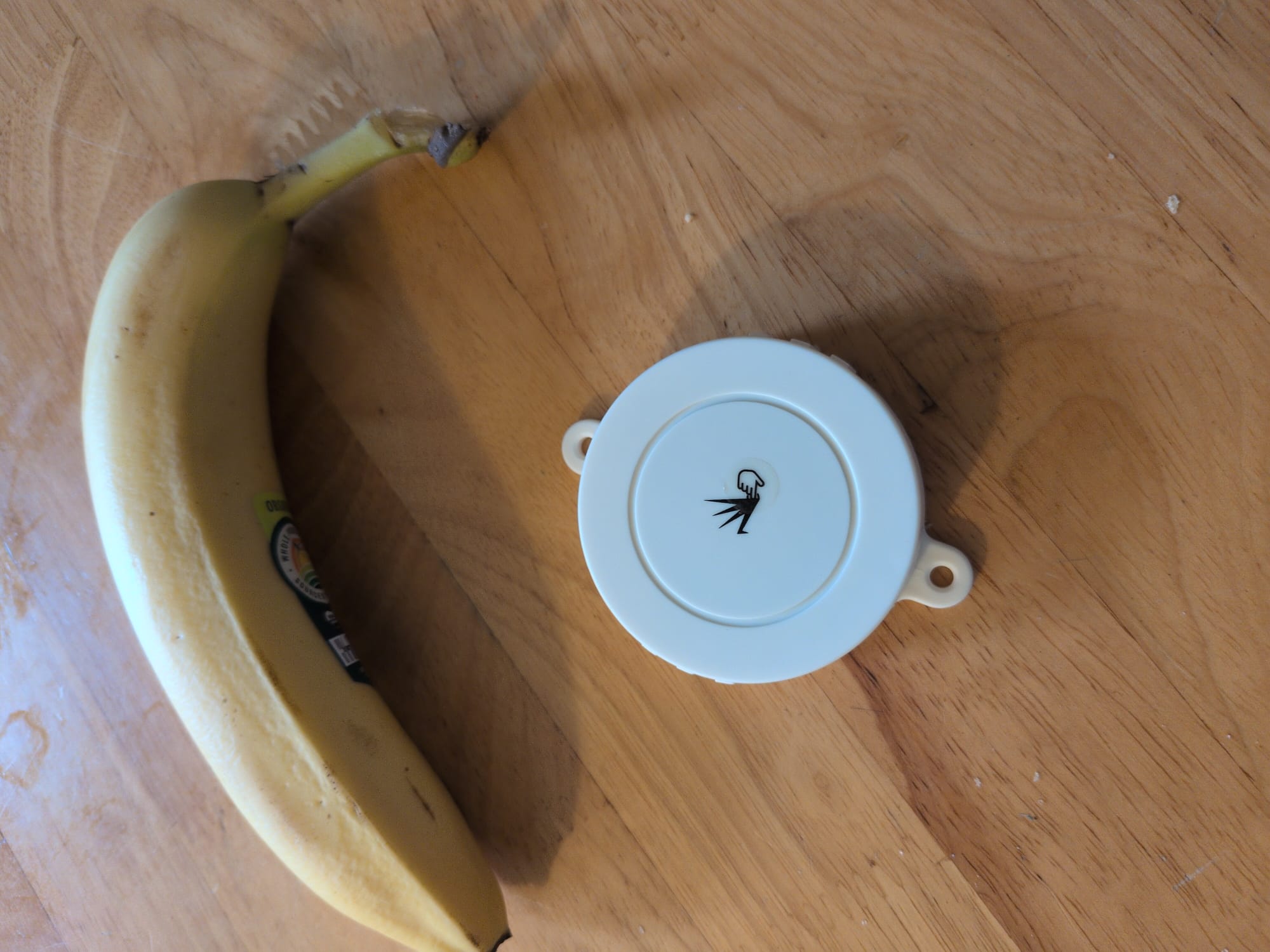
There is the FeasyBeacon app which leaves a lot to be desired, but is not totally useless. I powered up the two beacons and changed the following settings:
- Set a new PIN.
- I reduced the broadcast interval time from the default 1300ms to 1000ms. This will increase the batter usage, but allows for more frequent updates.
- Changed the name of the beacons to something fun.
- Updated the broadcast URL so that I was not advertising a Feasy store page. Sadly, the character limit was not long enough to broadcast my blogs address. So I chose the beaconDB website instead.
- Checked for firmware updates.
Then I uninstalled the app, hoping to never have to use it again.
Trying out the API and confirming the beacons are not associated with a location
beaconDB provides a geolocate endpoint. The old MLS version required an API key, but that is no longer needed:
Instead of using API keys to control access like Mozilla did, beaconDB expects clients to be pre-configured with a reasonable user agent. Ideally this identifies the software the client is using and includes info that can be used to narrow things down in the event a bad configuration or bug causes significant load on the server.
As a first step I wanted to confirm I could hit the API and get a valid location as a response. So I threw together a quick Python script:
import requests

url = "https://api.beaconDB.net/v1/geolocate"

headers = {'User-Agent': 'beaconDB test script, blog.matthewbrunelle.com',}

body = {
    "wifiAccessPoints": [{
        "macAddress": "01:23:45:67:89:ab",
        "signalStrength": -51
    }, {
        "macAddress": "01:23:45:67:89:cd"
    }]
}

response = requests.post(url, json=body, headers=headers)

if response.status_code != 200:
    print(f"Error: {response.status_code}")
else:
    print(response.json())
Note: The example code for the blog post uses the example MAC addresses from the documentation, not real ones.
The API is pretty simple and most fields are optional. The main information you need to provide are MAC addresses and the signal strength for the observation. If I input the MAC addresses for my home access points , I get a response like:
{'location': {'lat': XX.XXXXXX, 'lng': -XX.XXXXXX}, 'accuracy': 132}
Which gives the location of the house directly across the street from me. The accuracy is measured in meters, so the circle with a radius of 132 meters centered on that position does, in fact, contain my apartment. Not bad for locating off a single observation. beaconDB works best when you can query with multiple device observations at once.
Next, I wanted to hit the same endpoint, but using my BLE beacons. The app provided the beacons information, but they also had their MAC addresses printed on their side. I changed the body in the script above to:
body = {
    "considerIp": False,
    "bluetoothBeacons": [{
        "macAddress": "ff:23:45:67:89:ab",
        "age": 2000,
        "name": "beacon",
        "signalStrength": -110
    }],
    "fallbacks": {  sdf10adfasdfasf
        "lacf": False,
        "ipf": False
    }
}
Note that here I made sure to set considerIp and fallbacks to false, so that the API purely relies on the BLE beacon. From the docs:
The
fallbackssection allows some control over the more coarse grained position sources. If no exact match can be found, these can be used to return a “404 Not Found” rather than a coarse grained estimate with a large accuracy value.
As expected, I get a 404 back from the API.
Collecting observations with Neostumbler and testing the API
This part was pretty easy. NeoStumbler is a great app for contributing observations to beaconDB. I started recording and took my dog for a walk around the block. At the end of the walk I uploaded my observations. Then I just needed to wait, but not for too long:
note that submissions will take at least 5 minutes to become available in the beaconDB
Except... I was still getting 404s for my BLE beacons.
Neostumbler has a mechanism for filtering out moving devices, so the next thing I tried was disabling that. However I was still getting 404s...
Directly submitting observations to beaconDB
OK, so at this point I do not know if the issue is with Neostumbler submitting my observations, or beaconDB using them. Thankfully, Neostumbler lets you export your observations to csv.
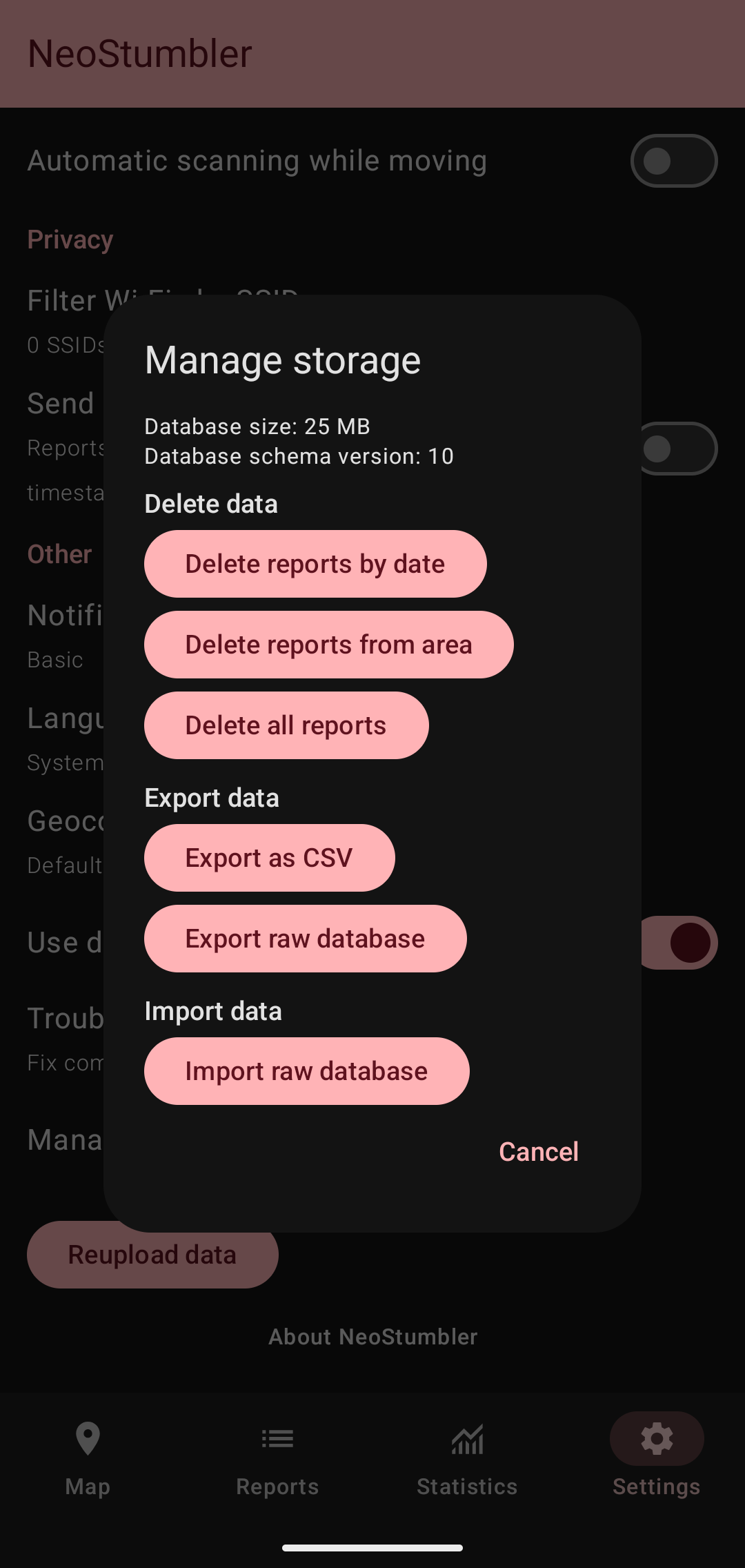
So I was able to directly submit an observation using the geosubmit v2 endpoint. The export contains every piece of information you can submit, except for the GPS heading and the beacon name.
import requests

url = "https://api.beacondb.net/v2/geosubmit"

headers = {'User-Agent': 'BeaconDB test script, blog.matthewbrunelle.com',}

{"items": [{
    "timestamp": 1405602028568,
    "position": {
        "latitude": -22.7539192,
        "longitude": -43.4371081,
        "accuracy": 10.0,
        "age": 1000,
        "altitude": 100.0,
        "altitudeAccuracy": 50.0,
        #"heading": 45.0,
        "pressure": 1013.25,
        "speed": 3.6,
        "source": "gps"
    },
    "bluetoothBeacons": [
        {
            "macAddress": "ff:23:45:67:89:ab",
            "age": 2000,
            #"name": "beacon",
            "signalStrength": -110
        }
    ],
}]}

response = requests.post(url, json=body, headers=headers)

print(f"Status code: {response.status_code}")
if response.status_code == 200:
    print(response.json())
Anyways, after running this script I wait again... and still a 404. At this point I realized that I had never run a test of a known good BLE beacon against the API to make sure I get a location back. So I dumped a full month of observations which contained a recent road trip I went on and check some of those MAC addresses. Still nothing.
Double checking the beaconDB source and final thoughts
So finally, I went to look at the beaconDB source to see what I could find. First I wanted to check if there was a minimum number of observations needed, sort of like the trilateration I learned about in HackerBox 0119 - Geopositioning. A comment from the repository revealed:
At least two WiFi networks have to been known to accurately determine the position.
So I tried making the WiFi query I made before, but adding the BLE beacons to see if the accuracy improved... Nothing, the accuracy was the same. As I searched the codebase I realized the problem: beaconDB currently accepts and stores BLE beacons, but does not use them yet for geolocation. So I made an issue.
Not all projects end as expected. At the very least, I learned a lot along the way. My initial question was "how does beaconDB use BLE beacons". I should have probably checked if the answer was "it currently doesn't" before I set everything up.