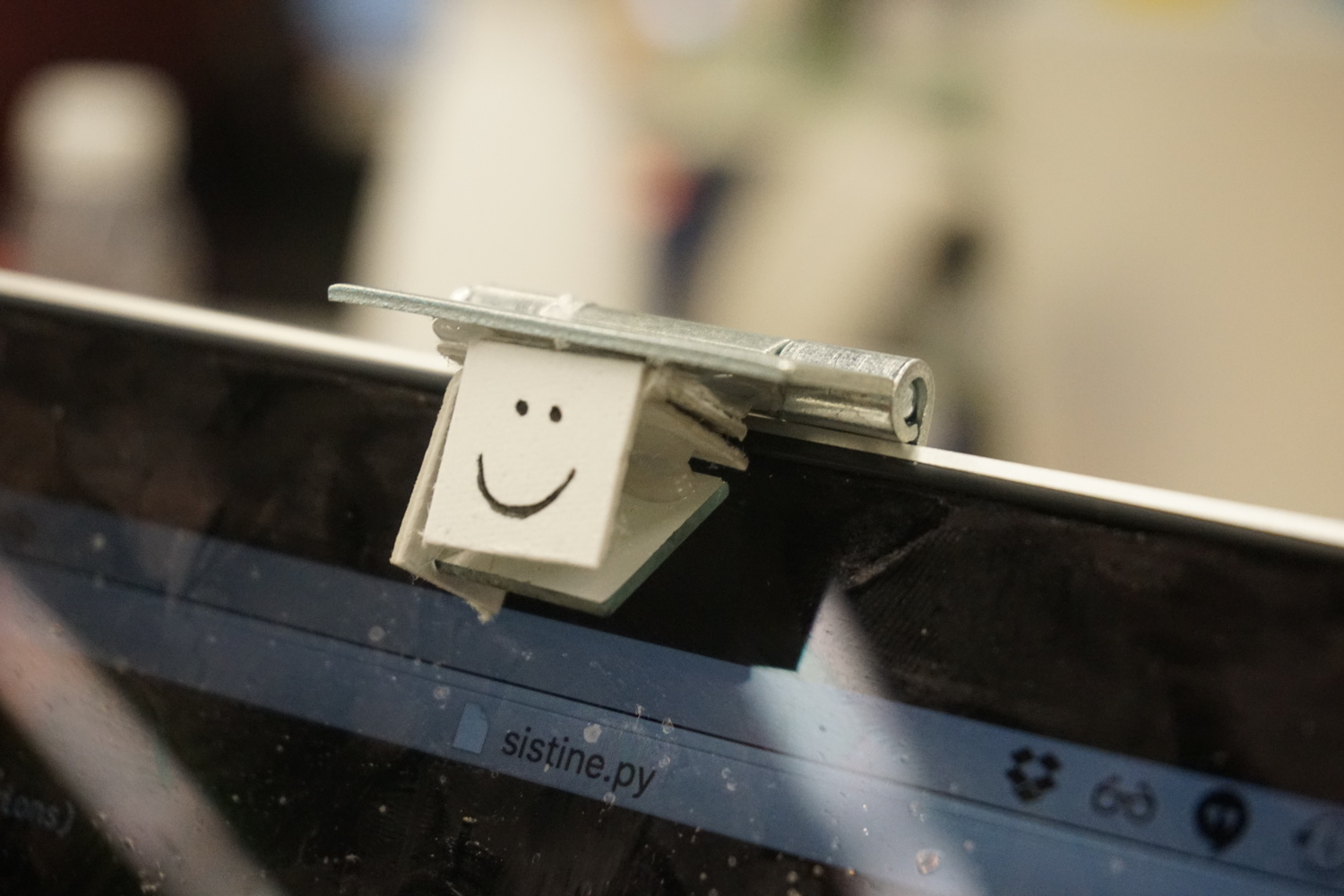
We turned a MacBook into a touchscreen using only $1 of hardware and a little bit of computer vision. The proof-of-concept, dubbed “Project Sistine” after our recreation of the famous painting in the Sistine Chapel, was prototyped by me, Kevin, Guillermo, and Logan in about 16 hours.

The basic principle behind Sistine is simple. Surfaces viewed from an angle tend to look shiny, and you can tell if a finger is touching the surface by checking if it’s touching its own reflection.
Kevin, back in middle school, noticed this phenomenon and built ShinyTouch, utilizing an external webcam to build a touch input system requiring virtually no setup. We wanted to see if we could miniaturize the idea and make it work without an external webcam. Our idea was to retrofit a small mirror in front of a MacBook’s built-in webcam, so that the webcam would be looking down at the computer screen at a sharp angle. The camera would be able to see fingers hovering over or touching the screen, and we’d be able to translate the video feed into touch events using computer vision.
Our hardware setup was simple. All we needed was to position a mirror at the appropriate angle in front of the webcam. Here is our bill of materials:
- Small mirror
- Rigid paper plate
- Door hinge
- Hot glue
After some iteration, we settled on a design that could be assembled in minutes using a knife and a hot glue gun.
Here’s the finished product:

The first step in processing video frames is detecting the finger. Here’s a typical example of what the webcam sees:

The finger detection algorithm needs to find the touch/hover point for further processing. Our current approach uses classical computer vision techniques. The processing pipeline consists of the following steps:
- Filter for skin colors and binary threshold
- Find contours
- Find the two largest contours and ensure that the contours overlap in the horizontal direction and the smaller one is above the larger one
- Identify the touch/hover point as the midpoint of the line connecting the top of the bottom contour and the bottom of the top contour
- Distinguish between touch and hover based on the vertical distance between the two contours

Shown above is the result of applying this process to a frame from the webcam. The finger and reflection (contours) are outlined in green, the bounding box is shown in red, and the touch point is shown in magenta.
The final step in processing the input is mapping the touch/hover point from webcam coordinates to on-screen coordinates. The two are related by a homography. We compute the homography matrix through a calibration process where the user is prompted to touch specific points on the screen. After we collect data matching webcam coordinates with on-screen coordinates, we can estimate the homography robustly using RANSAC. This gives us a projection matrix that maps webcam coordinates to on-screen coordinates.
The video above demonstrates the calibration process, where the user has to follow a green dot around the screen. The video includes some debug information, overlaid on live video from the webcam. The touch point in webcam coordinates is shown in magenta. After the calibration process is complete, the projection matrix is visualized with red lines, and the software switches to a mode where the estimated touch point is shown as a blue dot.
In the current prototype, we translate hover and touch into mouse events, making existing applications instantly touch-enabled.
If we were writing our own touch-enabled apps, we could directly make use of touch data, including information such as hover height.
Project Sistine is a proof-of-concept that turns a laptop into a touchscreen using only $1 of hardware, and for a prototype, it works pretty well! With some simple modifications such as a higher resolution webcam (ours was 480p) and a curved mirror that allows the webcam to capture the entire screen, Sistine could become a practical low-cost touchscreen system.
Our Sistine prototype is open source, released under the MIT License.